

CapaInstaller Agent Service Won't Start with FIPS Enabled
Problem
Section titled “Problem”FIPS (Federal Information Processing Standards) is a security framework, that’s usually only mandatory for non-military federal government agencies, contractors, and vendors in the United States.
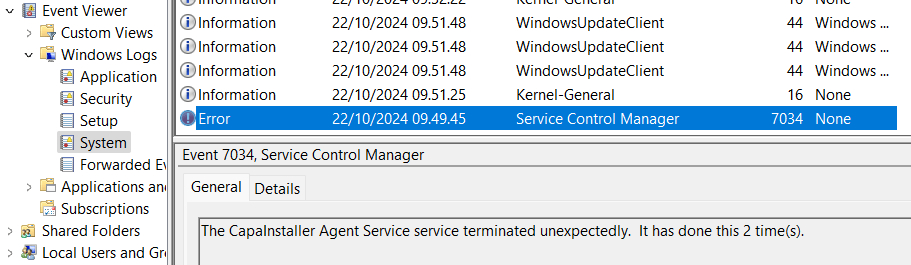
With FIPS enabled, the CapaInstaller Agent Service cannot always start.
Solution 1 - Disable FIPS for the CapaInstaller Agent
Section titled “Solution 1 - Disable FIPS for the CapaInstaller Agent”Disable FIPS for the CapaInstaller Agent Service by adding the line below to the “C:\Program Files\CapaInstaller\Services\Cistub\cistub.exe.config” file.
The line must be added exactly as shown in the <runtime> section of the file.
<enforceFIPSPolicy enabled=”false”/>

Restart the CapaInstaller Agent Service to activate the changes.
Solution 2 - Reconsider using FIPS
Section titled “Solution 2 - Reconsider using FIPS”As previously mentioned, FIPS is designed for federal government agencies, contractors, and vendors in the United States. Maybe it’s not strictly necessary to enable FIPS in your organization ?
You can read more about FIPS on Federal Information Processing Standards - Wikipedia