Custom Driver Content Packages
CapaDrivers v1.6 released on May 16, 2023
1) Find the custom driver content package name
Section titled “1) Find the custom driver content package name”The first step is to find the package name to use when creating the custom driver content package.
You can look in the log file from one of the CapaDrivers packages, where the expected custom driver content package name is listed in the “CapaDrivers_CheckDriverContentPackageExistence” section.

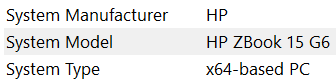
Optionally you can use the msinfo command to find the “System Model” value and then use the value and the major Windows version (W10 or W11) in the package name.
“CP CapaDrivers [system model value] [major windows version] Custom”
2) Create the custom driver content package
Section titled “2) Create the custom driver content package”The second step is to create the custom driver content package using the CapaInstaller Package Creator.
Create a package based on the Basic package template.
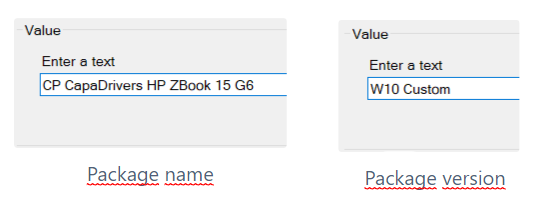
The package name must be “CP CapaDrivers [system model value]”
The package version must be “[major windows version] Custom”
It’s very important that you split the package name and package version exactly as described above!
The package will function as a placeholder for driver files and you don’t need to worry about the rest of the settings. The package will never be installed as normal packages.
Finally, disable the package schedule to avoid confusion and unintended installation attempts.

3) Add driver files
Section titled “3) Add driver files”The third step is to add selected driver files to the custom driver content package.
We strongly recommend placing each driver type in a separate folder in the kit folder of the package.
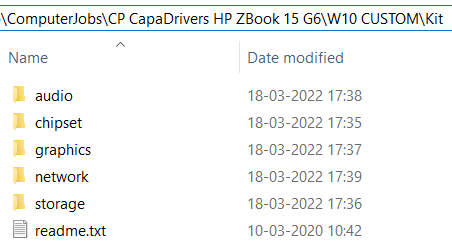
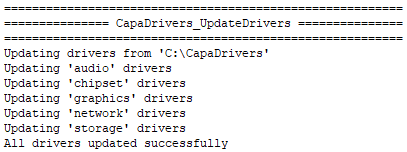
This will ensure that the log files show driver update information as intended.
4) Rebuild - promote - synchronize
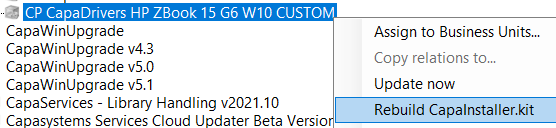
Section titled “4) Rebuild - promote - synchronize”The fourth and final step is to rebuild the CapaInstaller.kit file.
When the rebuild is complete, you must promote1 the updated file and synchronize2 it to distribution servers.