

Deploy OS Deployment Service
Introduction
Section titled “Introduction”This guide describes the steps involved in deploying the OSDeployment service
Installation of the OSdeployment service is simple and follows the same principles for all new services introduced or updated in CapaInstaller 5 and above.
To deploy the OSDeployment service. Right-click OS Deployment Services in the left-hand service tree and select Deploy.

OS Deployment Service configuration options
Section titled “OS Deployment Service configuration options”Configuration settings for the OS Deployment service...
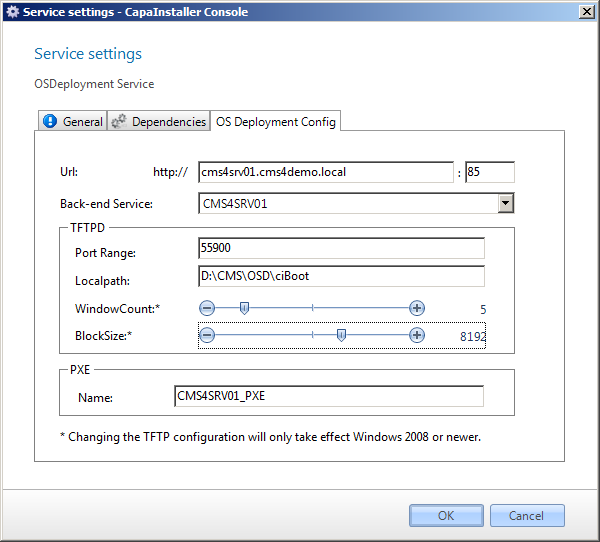
| Element | Description |
| URL and port | This URL is used to communicate with the service. |
| Back-end Service | The back-end service used to communicate with the CapaInstaller solution |
| TFTPD Port Range | The port range used with TFTPD |
| TFTPD Local path | The Local path for the TFTPD |
| WindowCount* | Is the amount of blocks sent before we expect an acknowledge from the client. |
| BlocjSize* | Is the size of the blocks sent from the service to the client. |
| PXE Name | The name of the PXE Servers to be linked to. |
| Element | Description |
| OK | Clicking this button commits any changes that you may have made and closed the dialog. |
| Cancel | Cancels any changes made and closes the dialog. |
Offline service deployment
Section titled “Offline service deployment”Below is a description, with examples showing an offline deployment.
Offline deployment method...
-
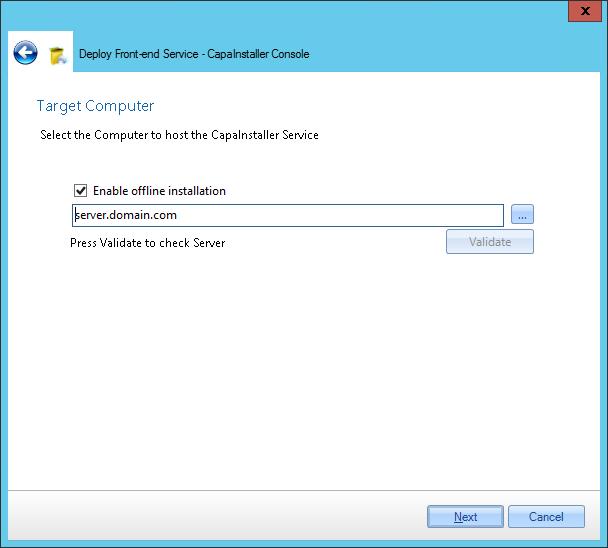
Input target computer for the service and check Enable offline installation
-
Log in as an administrator on the target computer
-
Open a browser and check that the browser is in a state where downloads are allowed.
-
Insert URL to the Back-end service appending /Install and fqdn=The target computers DNS name
http://\<ciBackendServer\>:\<port\>/ciBackend/Install?fqdn=\<fqdn\> -
Microsoft .NET Framework 4.6.2 is a prerequisite - if. NET4.6.2 is not available on the server Click the link to install
-
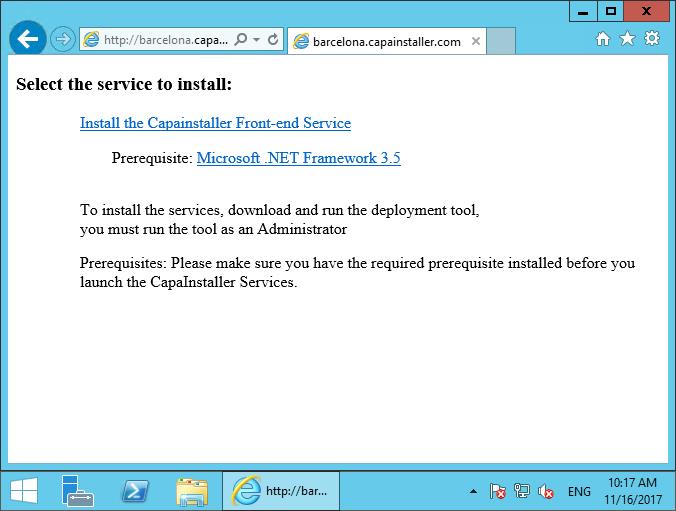
Click Install the Service - The installer executable file will be downloaded
-
Execute the downloaded installer file