

Deploying an MDM Service
Introduction
Section titled “Introduction”Requirements and guide for deploying the Mobile Device Management (MDM) service.
Requirements
Section titled “Requirements”Service Deployment
Section titled “Service Deployment”How to deploy a CapaInstaller Service
- In System Administration expand Services and right-click the service type to deploy
- Prerequisite check - Make sure that the required prerequisites are met. If they are not, you are able to click the status link to install the missing requirements.
- Input target computer for the service
- Input Public URL and port
- Configure the service-specific options
Below example: Deploying the CapaInstaller OSD service

MDM Service configuration options
Section titled “MDM Service configuration options”Configuration settings for the MDM service...
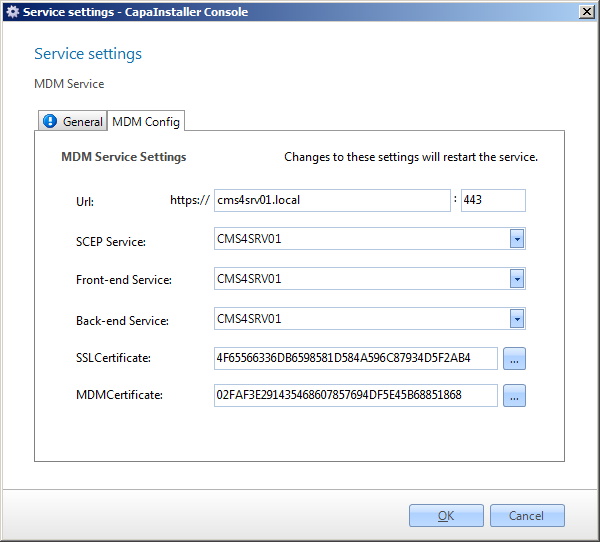
| Service configuration | Description |
|---|---|
| URL | The URL and port the service listens on. |
| Organization Name | Organization name displayed on managed devices |
| SCEP Service | The SCEP service used to enroll devices Defaults to the same server as the target server |
| Front-end Service | The Front-end service used to deliver agent data too. |
| Back-end Service | The Back-end Service used to require entities from the database |
| Transfer Encryption Certificate | Certificate to secure CapaInstaller service communication |
| Apple Push Certificate | Certificate to enable data communication with the Apple Cloud |
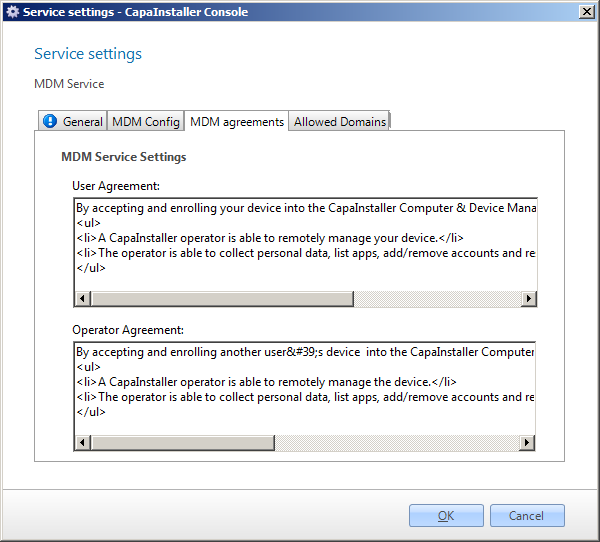
| User Agreement | Text presented to a normal user when enrolling the device |
| Operator Agreement | Text presented to an operator when enrolling the device |
On the Agreements tab, you can change the User and Operator agreements.
Offline service deployment
Section titled “Offline service deployment”Below is a description, with examples showing an offline deployment.
Offline deployment method...
-
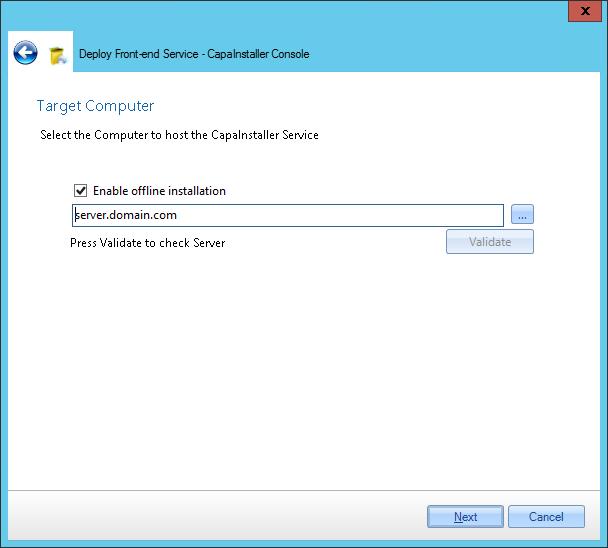
Input target computer for the service and check Enable offline installation
-
Log in as an administrator on the target computer
-
Open a browser and check that the browser is in a state where downloads are allowed.
-
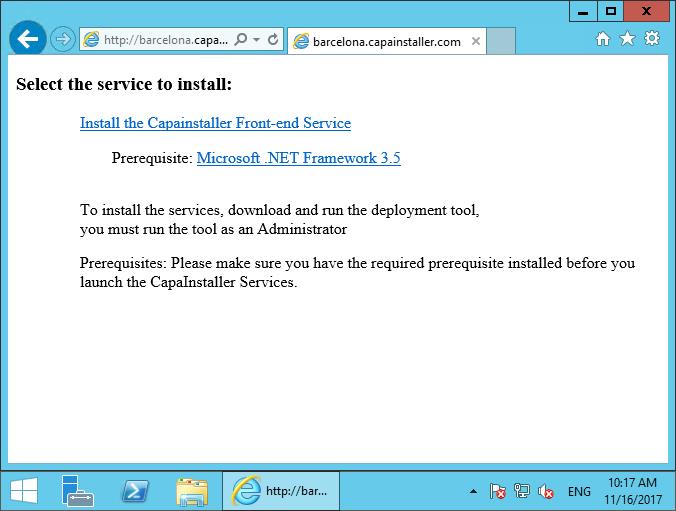
Insert URL to the Back-end service appending /Install and fqdn=The target computers DNS name
http://\<ciBackendServer\>:\<port\>/ciBackend/Install?fqdn=\<fqdn\> -
Microsoft .NET Framework 4.6.2 is a prerequisite - if. NET4.6.2 is not available on the server Click the link to install
-
Click Install the Service - The installer executable file will be downloaded
-
Execute the downloaded installer file
Configuring or Updating a Certificate
Section titled “Configuring or Updating a Certificate”When a signed certificate is imported correctly into the Windows Personal Certificate Store, adding it to a CapaInstaller service is simple.
Example: Adding a certificate to the Mobile Device Management (MDM) Service
- Locate the Service in System Administration. Right-Click.
- In the Service Settings > Configuration tab, locate the certificate type you want to add or update
- Click the browse button to browse the local personal certificate store and select the correct certificate