

Changelog introduction
The Change log plugin is a tool for viewing and handling change log created as a result of any change done to any item, module or asset in the CapaInstaller system. The change log shows all the changes implemented with success.
The Change log plugin contains the individual change log for every plugin. It is possible to archive the log information to ensure that the log only contains the data relevant for management.
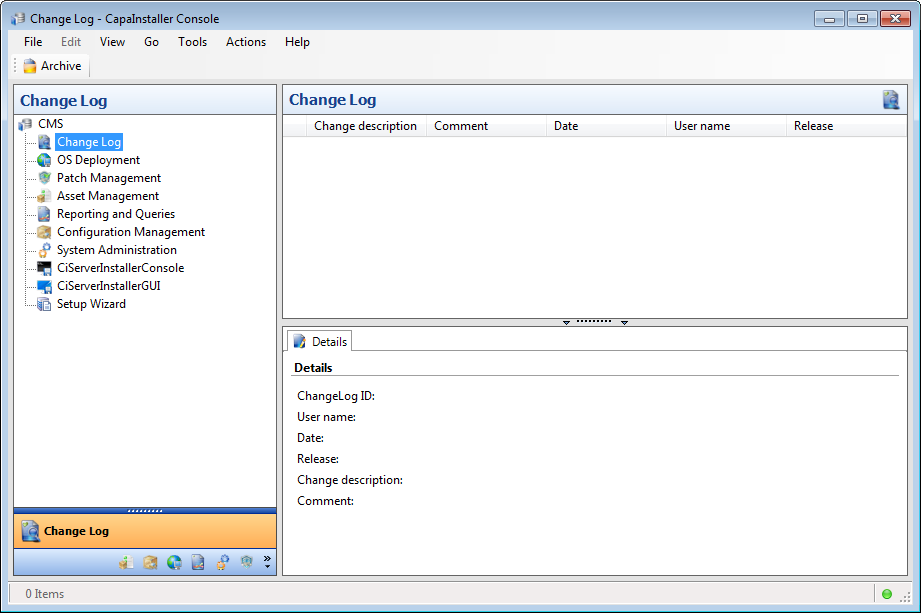
| Element | Description |
| Archive | By default, the log file will be archived 3 months from the current date. Archiving will remove the data permanently from the change log. The data will be archived to a comma-separated text file to the path defined in the Archive dialog. Make sure that the archive policy in your company is aligned with the change process. To be able to control rights on the archive, security must be enabled and the user must have System Manager rights. |
| Copy to clipboard | If you right-click a record, i.e. an item in the list, the Copy to clipboard menu item will be available. This feature makes it possible to copy the log information to another incident/problem management solution and other systems where it might be relevant. |
How to archive from the change log
Section titled “How to archive from the change log”| Step | Action |
| 1 | Activate the Archive dialog: The archive dialog can be activated in 3 ways: Click  , or select Actions menu and then Archive, or right-click the module from which you want to archive and click Archive. , or select Actions menu and then Archive, or right-click the module from which you want to archive and click Archive. |
| 2 | 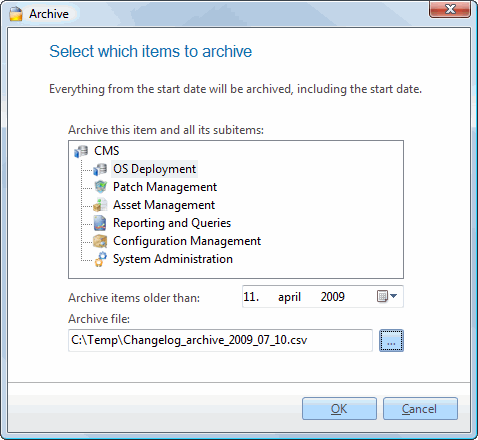 Specify the node from which you want to archive items. Specify the node from which you want to archive items. |
| 3 | Specify the location of the archive file. |
| 4 | Click OK. |
| 5 | The data is now removed from the change log and saved in a comma-separated file. |
Change log window
If you double-click on an item in the content pane, the change log can
be viewed from the View change log window.
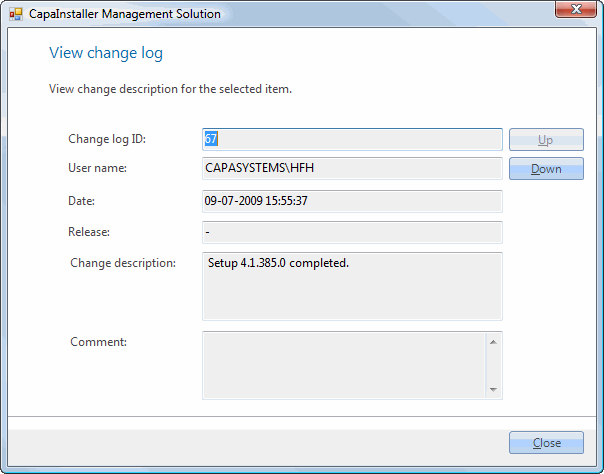
| Element | Description |
| Change log ID | An incremental identity number. |
| User name | The user currently logged on. |
| Date | The date and time when the change was done. |
| Release | Every time a change is made to an Image, Model or Script this number will be incremented. |
| Change description | A system description of what has been changed. |
| Comment | The comment entered by the user who made the change. |
| Up/down | Lets you scroll between the different rows in the log. |