Units can be created in the Unit view in Asset Management. Device types can be any kind of device you have in your company e.g. firewalls, mobile devices, telephones, etc.
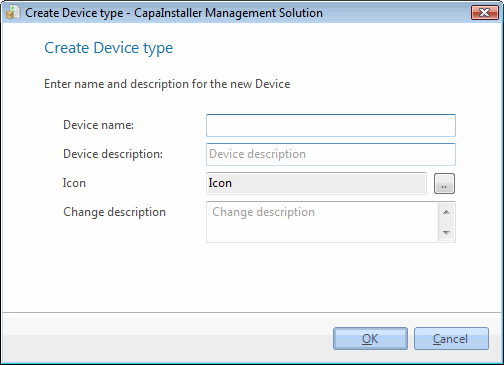
|
|
| Element |
Description |
| Device name |
Name of the new device. |
| Device description |
Description of the device. |
| Icon |
Icon for the device. |
| Change description |
Description for the Changelog. |
|
|
| Step |
Action |
| 1 |
Open Asset Management in Unit view, right-click on the Other device folder, and click New device type. |
| 2 |
Type the device name you want, this must be unique and aligned with your company standards. |
| 3 |
Type a description of the device. |
| 4 |
Choose an icon to represent your device. |
| 5 |
Type a change description and click OK. |
| 6 |
The new device is now visible in the Other devices folder. |
|
|
| If you want to… |
You can… |
| Edit a device type |
Right-click the device and click Edit device type, click OK when you have completed. |
| Delete device type |
Right-click on the device type and click Delete. |
| Create a new unit |
Create a new computer to see how. |

