

General menu description
Some menus and menu items remain the same regardless of the module activated; others will change according to the module activated. The following is a description of the general menus in the CapaInstaller Management Solution. Links to descriptions of the menus for each module are also included.
 |
 |
 |
 |
 |
 |
 |
| The console menu is context-sensitive, i.e. each module in CMS will have specific functions available. For further information on each menu, click the links below: - Toolbar and menu description for Asset Management - Toolbar and menu description for Configuration Management - Toolbar and menu description for OSD - Toolbar and menu description for Reporting |
| File menu | Description |
| Exit | Closes the program. |
| Edit menu | Description |
| Select All | Selects all items in the folder currently marked in the tree view pane. |
| View menu | Description |
| View log | Opens the current log. |
| Go to | Go to any application. |
| Go menu | Description |
| Installed modules | Goes to the individual plugin installed. 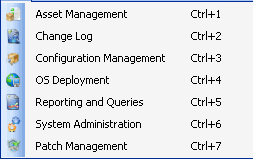 |
| Tools menu | Description |
| Change License | Makes it possible to change your license. |
| Database connection | Lets you customize the database settings. |
| Options | Lets you change the default settings. The options are individual per Module. |
| Help menu | Description |
| CapaWiki | Links to the online Wiki page of CapaSystems |
| Create documentation | Creates the documentation of the CapaInstaller product installed |
| About | Displays information about the current version, including license details and the version number. 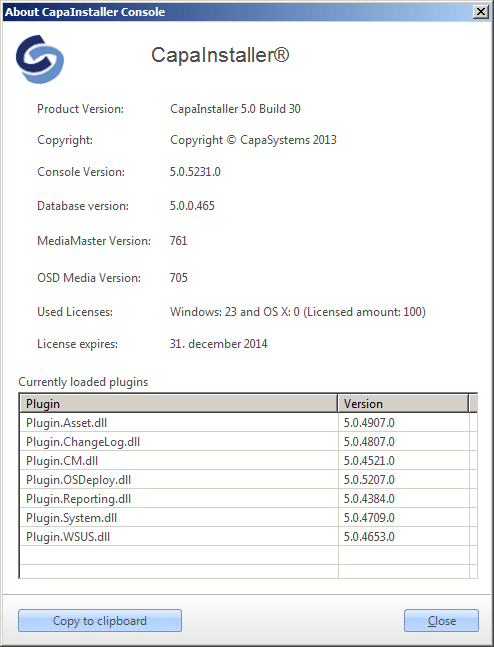 |