

Changelog full-text index search
To use the changelog full-text index search, you must install the MSSQL Full-text index service, and create the Full-Text index on the text columns in the Changelog table.
| Step | Action |
| 1 | If you are running SQL Express you must run the SQL Server Express with Advanced Services to install the Full-Text index service. On Enterprise edition, you must run the Setup again, and enable the feature Full-Text index. |
| 2 | When the Full-text index service or feature has been enabled, the full-text index should be created on the columns SystemDesc, UserDesc, and CreatedBy in table Changelog. Go to the MSSQL Manager right-click the Changelog table, and choose Full-Text index and then Define Full-Text Index. Follow the guide. 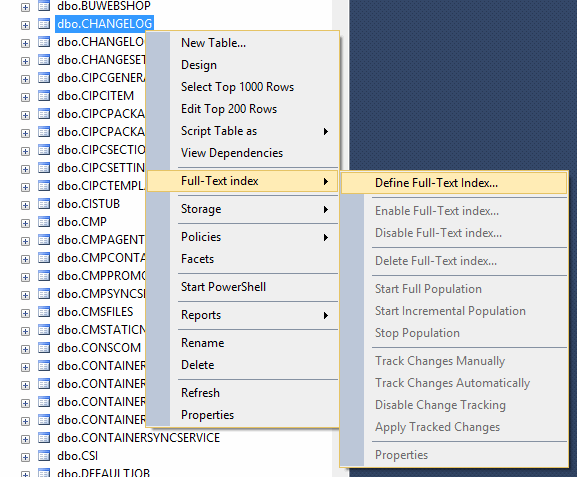 |
| 3 | Building the Full-Text index can take some time. And before that is done, the Full-Text index is not ready to be used. |
| 4 | Then go to the Changelog Options and Enable Full-Text Index. 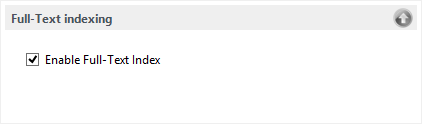 |