

Approve updates
The following is a description of how to approve updates and change their status. Updates can hold one of three statuses: Approved for installation, Approved for removal, or Not Approved. (Declining an update is a separate action — see Decline Updates.) For further information about the different statuses, Updates.
| Step | Action |
| 1 | Go to the folder containing the update you want to approve/decline. |
| 2 | Find the update you want to approve/decline. |
| 3 | Right-click on the update to display one of the following menus:   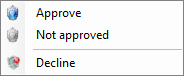 |
| 4 | Click on the appropriate approve/decline type. In this example, it is Approve for install. 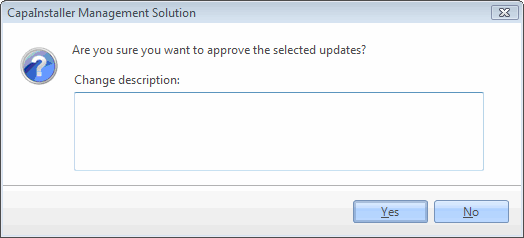 |
| 5 | Enter the change description in the field for Approve for install, Approve for removal, Not approve or Decline. Click OK. |
| 6 | In the update approval status, you can see the progress 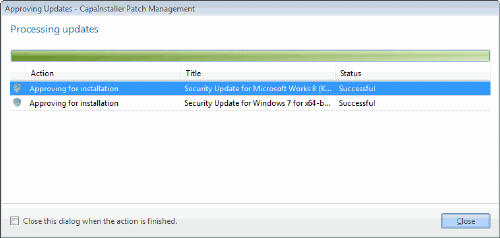 |
| If you want to… | You can… |
| Approve Update from All Updates | Approve from All updates |
| Automatically install updates | Approval rules |
| Learn more about classifications | Classifications. |
| Learn more about categories | Categories. |