

Delete a unit
Introduction
Section titled “Introduction”You can delete a unit from Asset Management or Configuration Management, click File/Delete unit. Deleting a unit is the end of the lifecycle for it and will therefore have an effect on the item related to the unit. This form helps you find your unit and delete it.
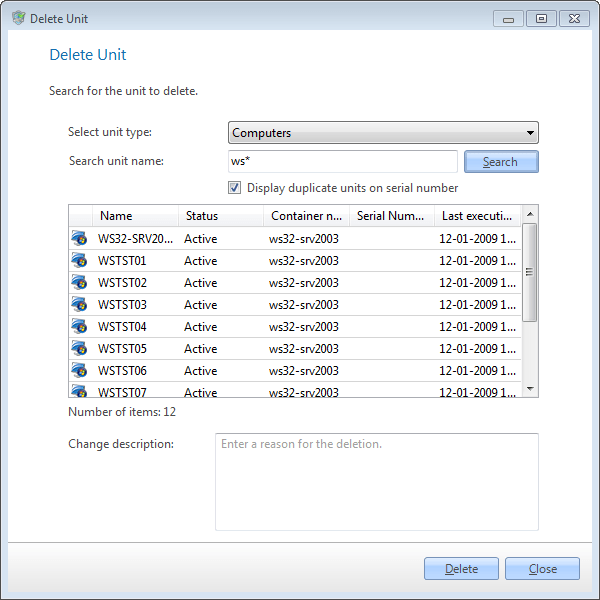
| Element | Description |
| Select Unit types | Select the type of units to delete. |
| Select Unit name | Enter a Unit name to delete. Can also contain wildcard *, e.g. “WS0*”. |
| Check duplicate units | Check duplicate units, to list unit with duplicate serial number |
| Delete | Click on Delete to delete the selected Units from the system. |
| Step | Action |
| 1 | Click on the File/Delete Unit. |
| 2 | Select the unit type you want to delete. |
| 3 | Click Delete. |