

Create a Patch Management root point
Creating the root point will create it in both the database and on the Wsus Server. On the Wsus Server, the root point is named with its name and then a unique identifier (GUID), eg. CapaInstaller_2B1DD962-A2E3-4359-ABC7-B127C8DBCB15.
| Step | Action |
| 1 | Click File in the menu and then click New Root Point 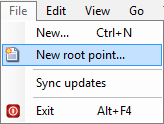 |
| 2 | Enter a name for the root point, it could be the name of the company 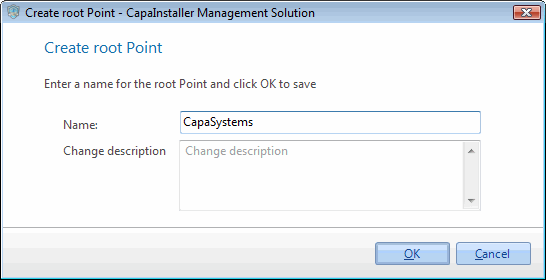 |
| 3 | If necessary write a change description |
| 4 | Click OK to create the root point |
| If you want to… | You can… |
| Create a child point | Create a Patch Management child point. |
| Re-create point | Re-create Patch Management Point or Group |
| Approve updates | Approve updates |