

Custom Fields Installation
Introduction
Section titled “Introduction”The following is a description of how to create custom fields for OSD point and BU when you PXE boot your client.
How to config Custom Fields Installation
Section titled “How to config Custom Fields Installation”| Step | To do |
|---|---|
| 1 | Go in to “OS Deployment, and right click your OSD point and click on “Configuration” 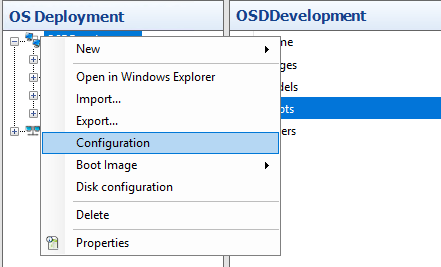 |
| 2 | Click on “OSD Gui” and scroll down to the CustomFields“ Here, you have five opportunities, you can choose to your Custom Field. There is a label shown in your OSDClient and a default value. 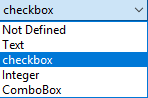 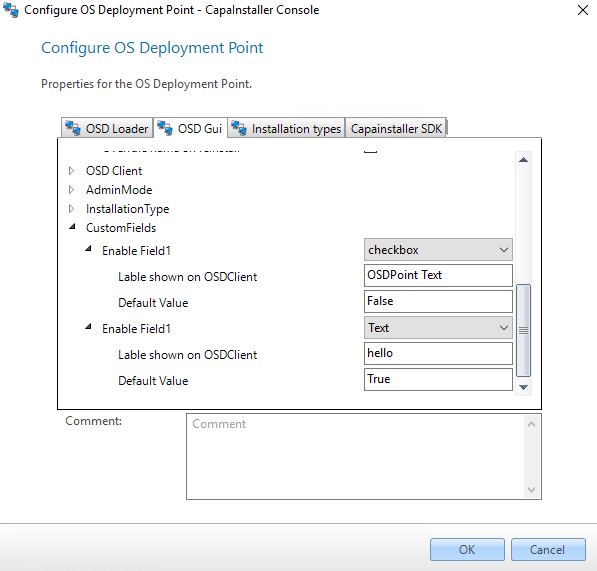 Default Value for “checkbox” can only be TRUE or FALSE Default Value for “Integer” can only be a number Default Value for “text” is optional Default Value for “ComboBox” is optional |
| 3 | Now PXE boot your client, and you will have shown you Custom Fields as shown here: 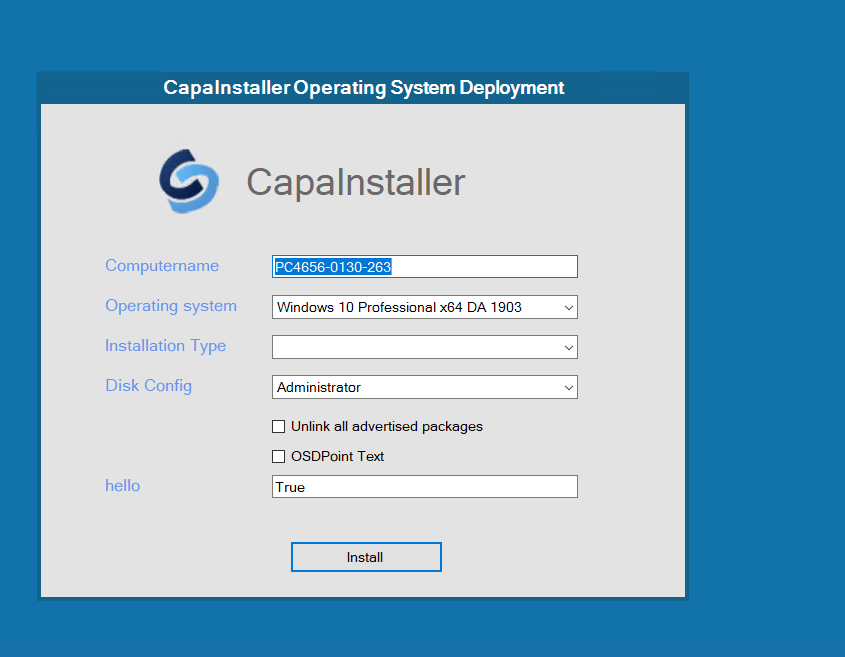 |