
Customize classifications
Introduction
To change the classifications shown in the tree view, follow the steps below:
| Step | Action |
| 1 | Open the WSUS management console. |
| 2 | Select Options in the view on the left side. 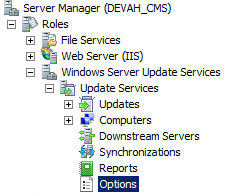 |
| 3 | Select Products and Classification in the middle.  |
| 4 | Select the Classifications tab. 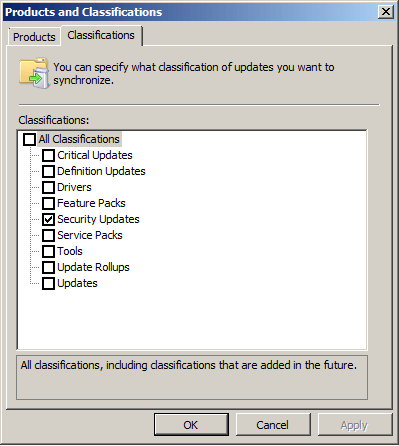 |
| 5 | Select or deselect the classifications to specify which ones you want to view and to hide. Click OK. |
| 6 | When the patch management service is rerun the CMS database will be updated and the change will be visible in GUI. |