

Endpoint Security
The endpoint view provides detailed visibility into the security posture and vulnerability exposure of an individual endpoint, enabling focused investigation and remediation.
Security overview
Section titled “Security overview”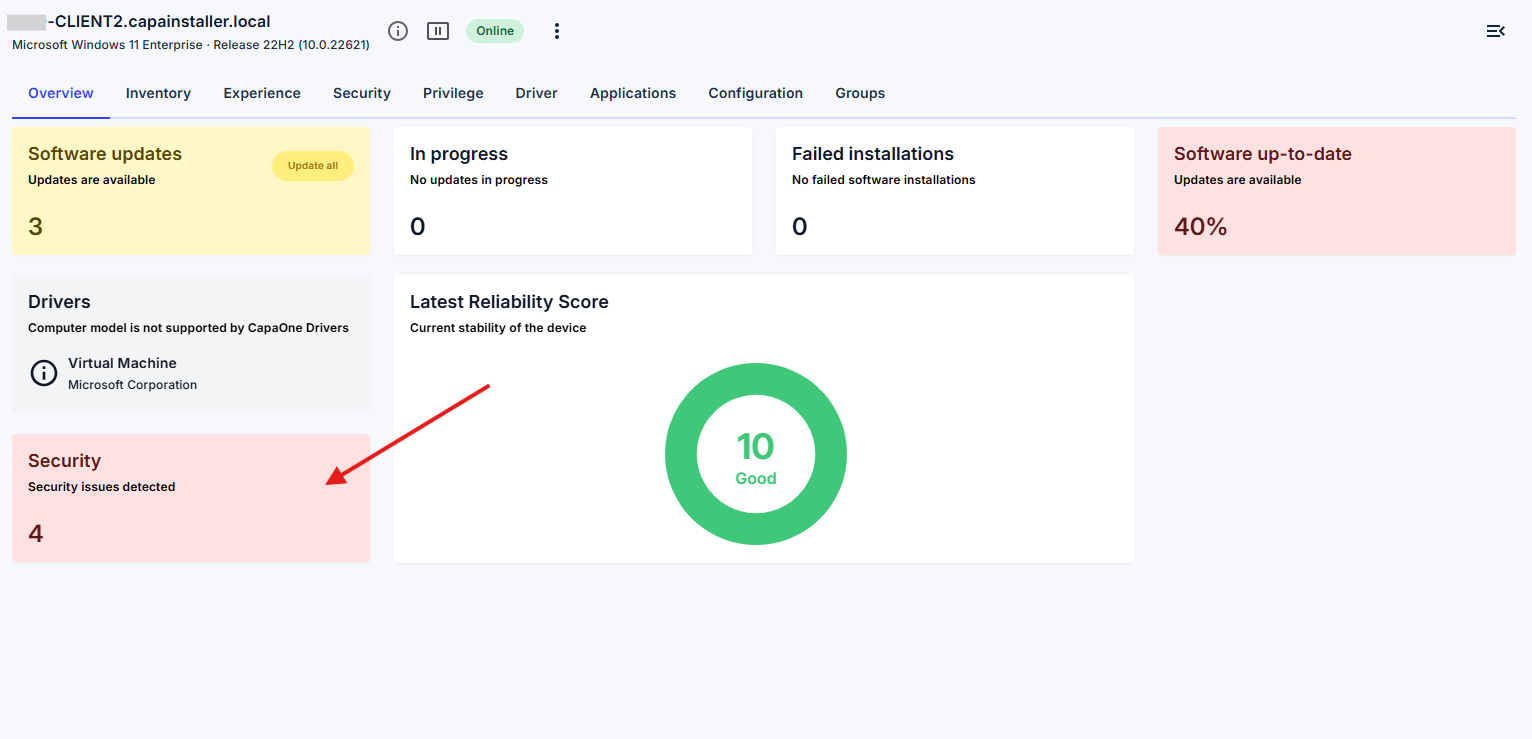
A Security Tile is displayed in the device Overview, providing a summarized view of the endpoint’s overall security status and detected issues.
This allows administrators to quickly assess whether the device is in a healthy, moderate, or critical state.
Security inventory
Section titled “Security inventory”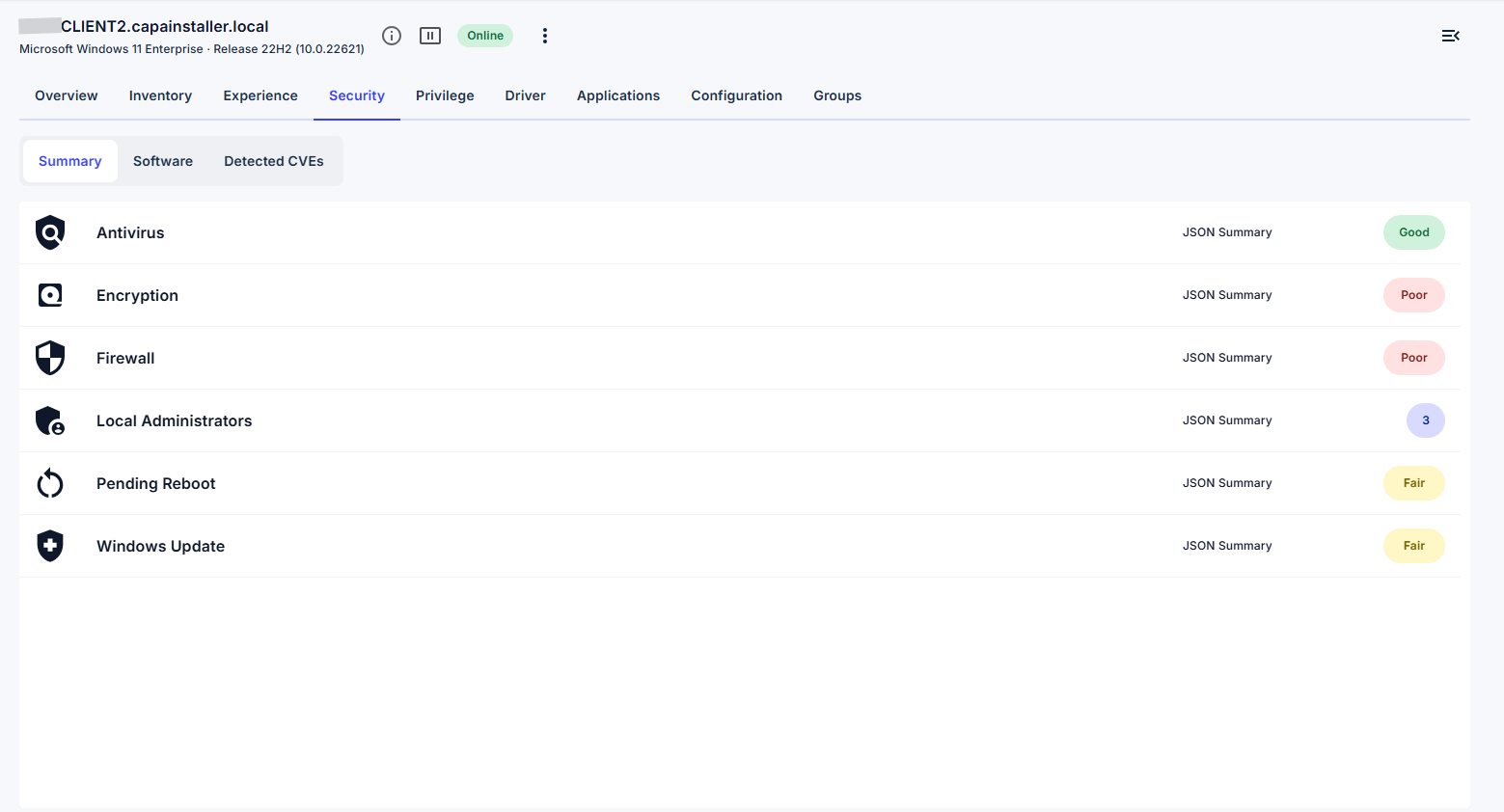
The Security tab includes an Inventory view presenting the device’s security configuration status. This includes:
- Antivirus status
- Encryption state
- Firewall configuration
- Windows Update compliance
- Pending reboot status
- Local administrator exposure
The Inventory view provides a configuration-level assessment of the endpoint’s security posture.
Software
Section titled “Software”The Software view lists applications installed on the endpoint that contain known vulnerabilities.
It displays vulnerable software, associated CVEs, and severity scoring, allowing administrators to understand which applications contribute to the device’s overall risk profile.
Detected CVEs
Section titled “Detected CVEs”The Detected CVEs view presents identified vulnerabilities affecting the endpoint.
Each entry includes severity scoring (CVSS) together with contextual risk evaluation, enabling detailed analysis of specific exposures and supporting structured remediation efforts.
CVE details
Section titled “CVE details”Selecting a CVE from the Detected CVEs view opens a dedicated details page providing comprehensive information about the identified vulnerability affecting the endpoint.
The view includes affected software, vulnerability summaries, severity scoring, and associated endpoint exposure. A Resources section provides reference links to authoritative external sources containing additional technical information and remediation guidance.
This enables administrators to better understand vulnerability impact and support informed remediation decisions.