

Activity Log
The Activity Log under Management → Activity Log lists the changes and actions in your CapaOne organization, newest first. Use it to find out who changed a configuration, when an endpoint was enrolled, or which automation ran.
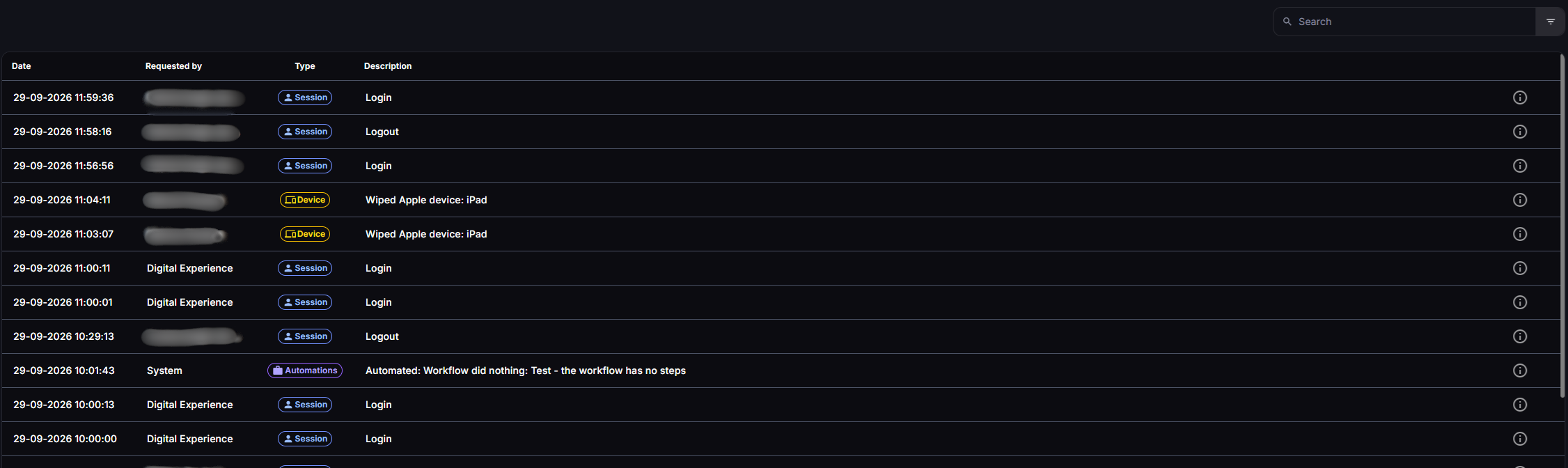
Columns
Section titled “Columns”| Column | Description |
|---|---|
| Date | When the action happened. |
| Requested by | The user who performed the action. |
| Type | The area of CapaOne the action belongs to, such as Config or Enrollment. Click a type to show only entries of that type. |
| Description | What happened. |
The list loads more entries as you scroll.
Entry types
Section titled “Entry types”Each entry has one of these types:
Android, Apple, Application, Automations, Config, Contract, Device, Drivers, Enrollment, Group, Images, Integration, Packs, Privileges, Provision, Security, Session, System, User, and Windows.
Session entries record sign-ins and sign-outs.
Search and filter
Section titled “Search and filter”Use the filter bar at the top of the page:
- Search finds entries where the text appears in the user, type, description, or details.
- Requested by shows only entries from users whose name contains the text you enter.
- Type shows only entries of the selected type. The most used types, Session, Automations, Config, and Enrollment, are also available as quick filters.
- Date shows only entries within a date range. You can select dates up to three months back.
The filter is saved in the page URL, so you can bookmark a filtered view or share it with a colleague who has access to the same organization.
Good to know
Section titled “Good to know”- Session entries are only shown for the last seven days.
- The Activity Log shows the organization that is selected in the organization selector. See Navigating CapaOne.
- For elevation activity on endpoints, use Elevation Analytics instead.