

Create Native Apps for Android
Create Native Android Apps from Google Play (In this example we are using a Samsung device)
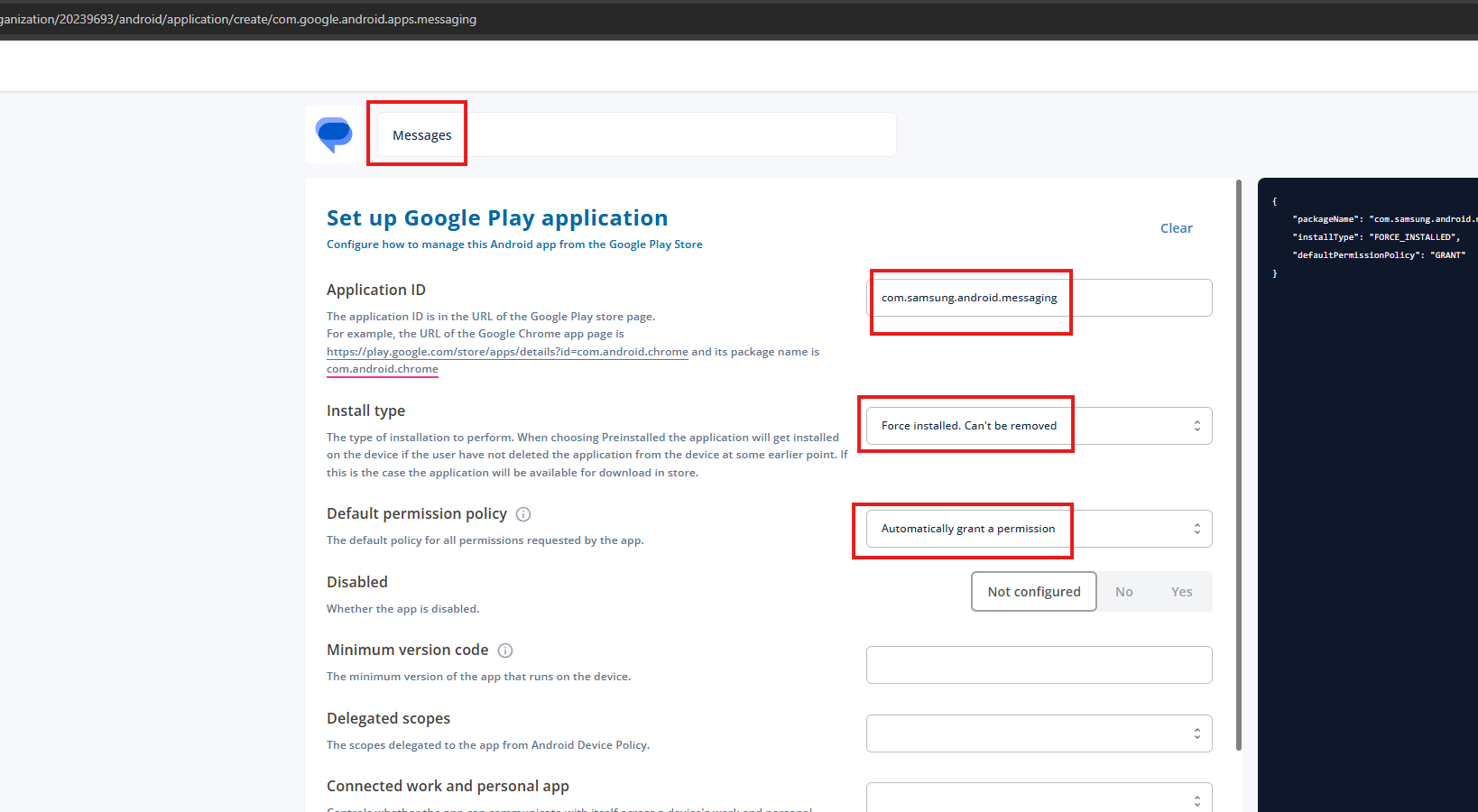
- Create a new Google Play app and search for Messages.
- From the results, select Google Messages.
- Replace the Application ID with the native Samsung Messages app ID:
com.samsung.android.messaging - Configure the usual app settings as required.
- Rename the app at the top to Messages.
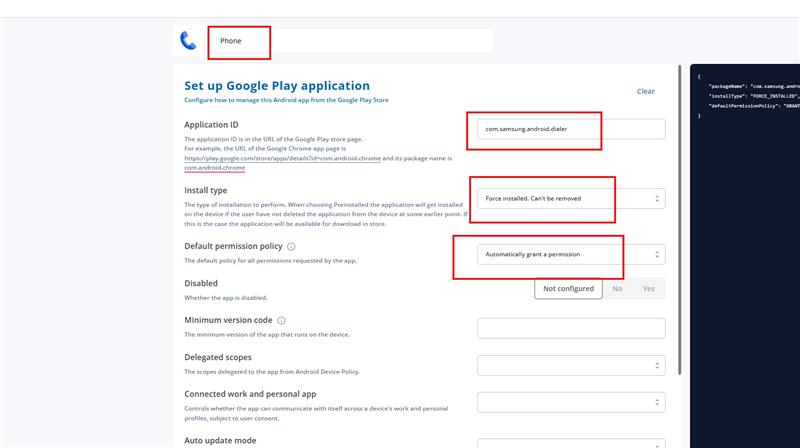
- Create a new Google Play app and search for Phone.
- From the results, select Phone by Google.
- Replace the Application ID with the native Samsung Phone app ID:
com.samsung.android.dialer - Configure the usual app settings as required.
- Rename the app at the top to Phone.
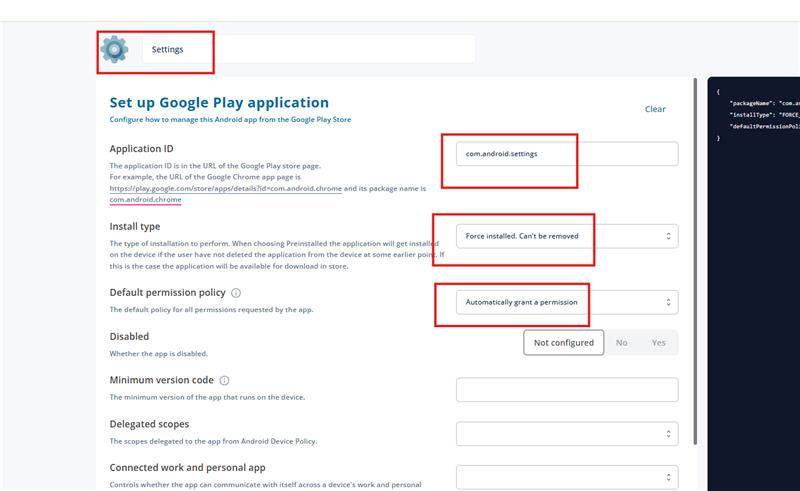
- Create a new Google Play app and search for Settings.
- From the results, select Quick Settings for Android.
- Replace the Application ID with the native Samsung Settings app ID:
com.android.settings - Configure the usual app settings as required.
- Rename the app at the top to Settings.
 Once completed, the native Phone, Messages, and Settings apps are ready to be installed and used on the device.