

Reliability
The Reliability section provides visibility into endpoint stability across your organization by analyzing system and application event logs. It helps administrators identify instability trends, investigate recurring issues, and maintain consistent endpoint performance.
Reliability events
Section titled “Reliability events”Two types of reliability events are monitored:
- Application Events – Related to Windows system components such as drivers and built-in system elements
- System Events – Related to installed programs and third-party software
Each event is categorized by severity:
- Critical
- Error
- Warning
This classification makes it easier to identify problematic endpoints and prioritize investigation.
Reliability Score
Section titled “Reliability Score”The Reliability Score is a numerical indicator of endpoint stability, indexed from 1 to 10.
As the number and severity of errors increase, the Reliability Score decreases. Maintaining a high score helps ensure stable systems and consistent user productivity across your environment.
Reliability Score chart
Section titled “Reliability Score chart”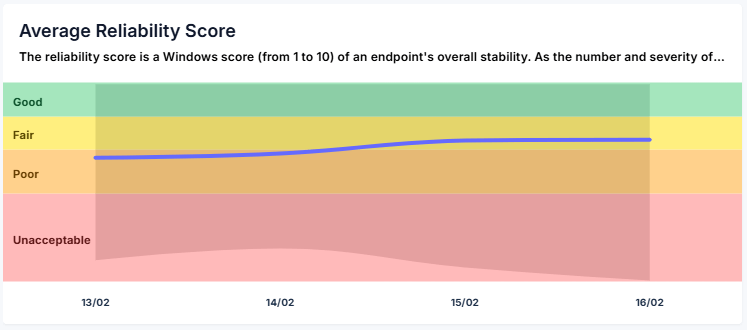
The Reliability Score Chart provides a historical view of stability over time.
The blue line represents the average Reliability Score, while the color distribution reflects the stability range across endpoints.
When viewing all devices, the displayed score represents the average reliability across the organization.
Hovering over a point in time displays:
- Time Period – The selected interval
- Average Reliability Score – Organizational average for that period
- Reliability Score Range – Lowest and highest score among endpoints
- Device Count – Number of devices included in the calculation
Clicking a time point drills down and filters results to that specific period.
Reliability Score pie chart
Section titled “Reliability Score pie chart”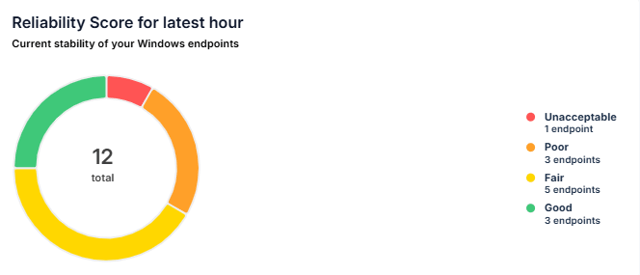
The Reliability Score Pie Chart provides a visual distribution of endpoint stability levels.
Selecting a segment displays the list of devices within that stability range, enabling targeted investigation and remediation.
Event bar chart
Section titled “Event bar chart”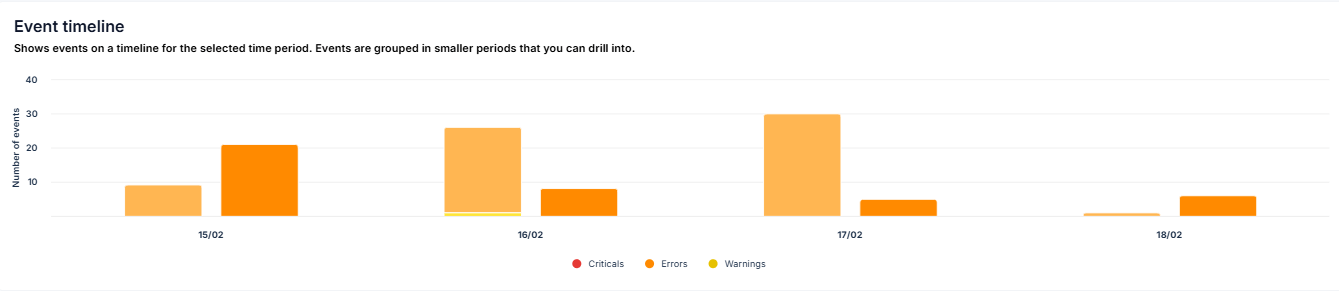
The Event Bar Chart provides a time-based overview of event distribution by severity.
Each bar represents the number of:
- Critical events
- Error events
- Warning events
Hovering over a bar displays:
- Time Period
- Critical Count
- Error Count
- Warning Count
- Affected Devices
Clicking a bar drills down and filters results to the selected time period.
Agent severity list
Section titled “Agent severity list”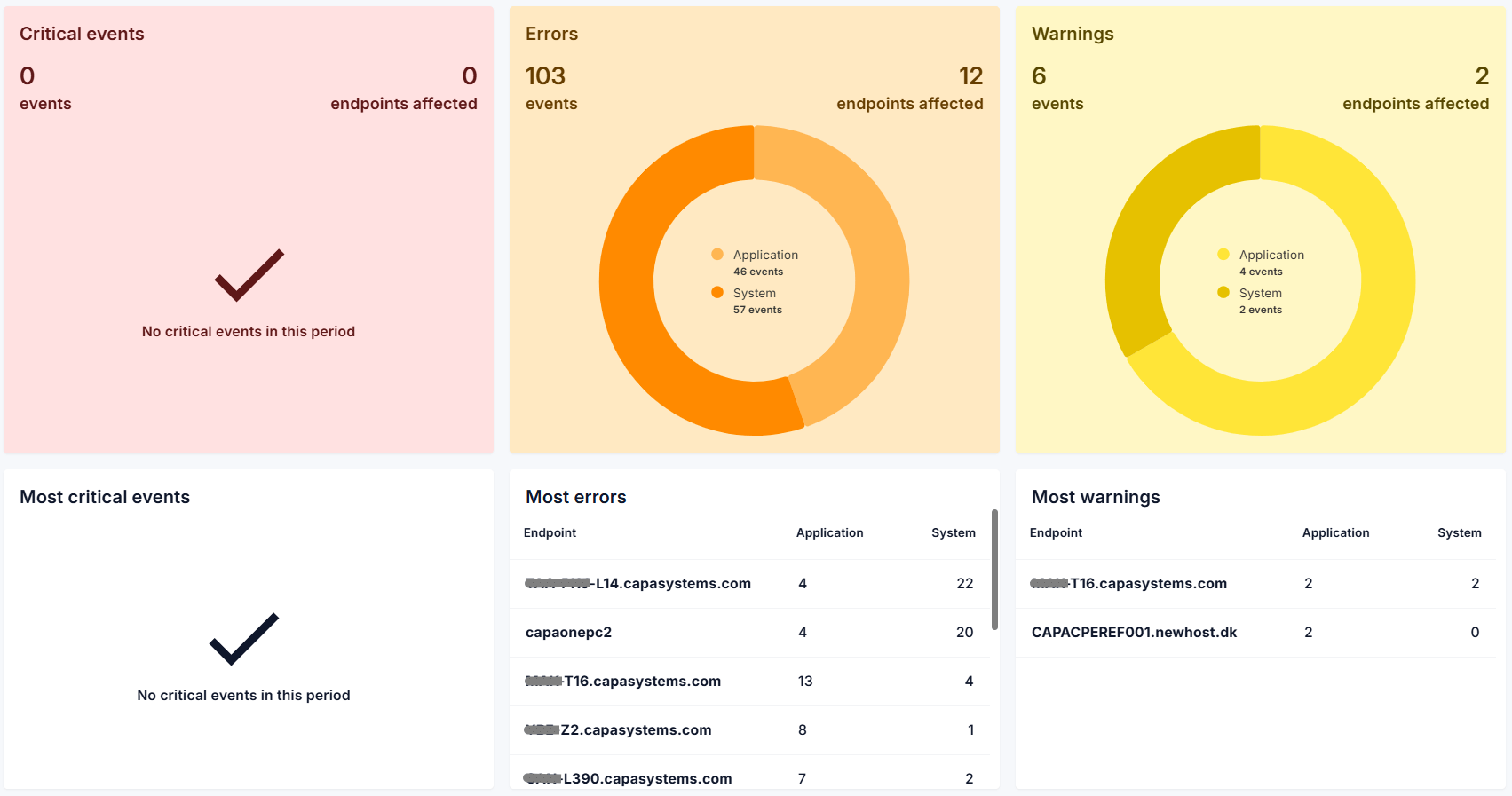
The Agent Severity Lists display the top 10 devices with the highest number of events within each severity category.
Selecting a device redirects you to that endpoint’s event logs for detailed analysis.
Filters
Section titled “Filters”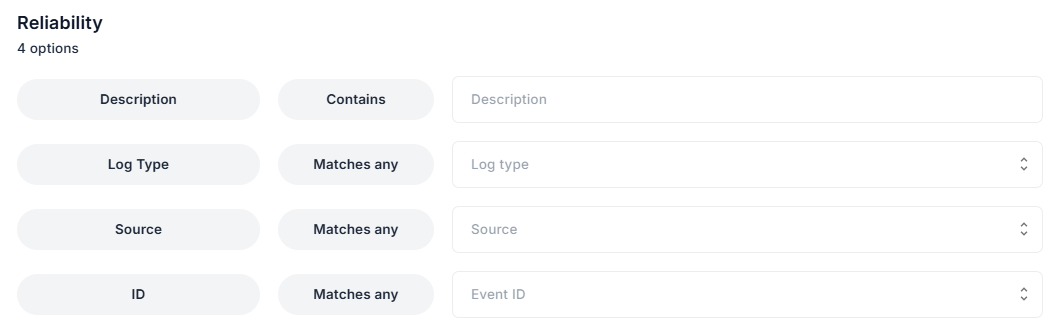
Filtering options allow administrators to narrow results and focus on the most relevant reliability data. Access filters using the filter icon in the upper-right corner.
Available filters include:
- Description – Full-text search within event descriptions
- Log Type – Filter by Application or System events
- Source – Filter by event source
- Event ID – Filter by specific event IDs
Events can also be filtered directly by selecting a device from the Agent Severity List or by clicking a severity category.
Time period and detailed view
Section titled “Time period and detailed view”
Use the time selector in the upper-right corner to define the reporting range:
- Today
- Last Three Days
- Last Seven Days
- Last Month
Reliability data can also be viewed in two modes:
- Summary Mode – Combines Application and System events into a unified view
- Detailed Mode – Separates Application and System events for deeper analysis