

Accessing account administration inside CapaOne
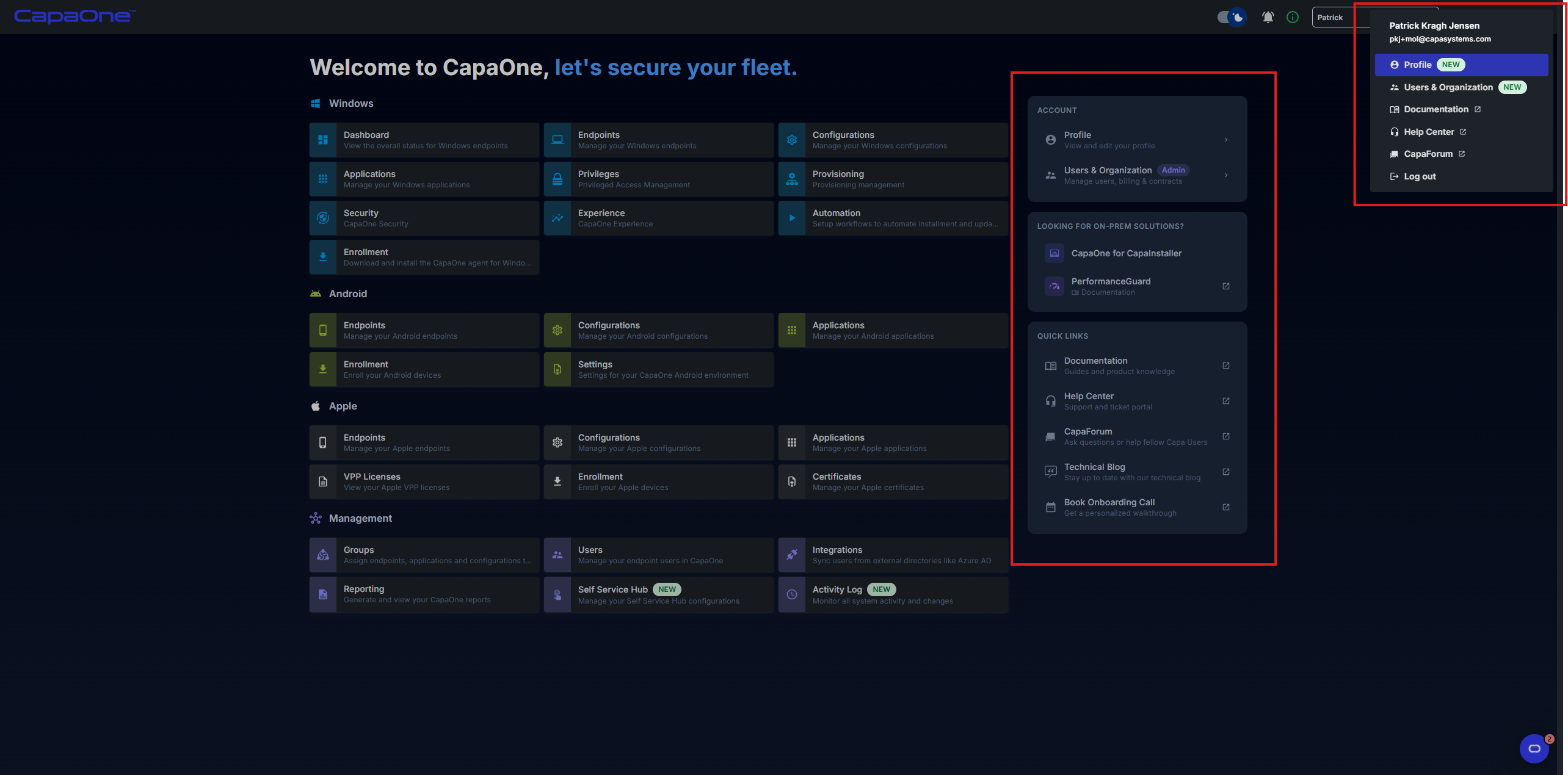
The account panel in CapaOne gives you access to your profile, organization management, on-premises solutions, and quick links — all from a single place. There are two ways to reach it.
From the dashboard
Section titled “From the dashboard”When you log in to dash.capaone.com, the landing page displays the account panel on the right side.
From the top-right menu
Section titled “From the top-right menu”From anywhere in CapaOne, click your name in the top-right corner to open the user menu.
What you can access
Section titled “What you can access”Account
Section titled “Account”- View and edit your profile — update your name, email, job title, phone, mobile, role, newsletter and notification preferences, and reset your password.
- Users & Organization — create and manage sub-organizations and users, and view billing, licenses, and contracts.
Looking for on-prem solutions?
Section titled “Looking for on-prem solutions?”- CapaOne for CapaInstaller — quick access to the CapaOne for CapaInstaller section.
- PerformanceGuard — links directly to the PerformanceGuard documentation.
Quick links
Section titled “Quick links”- Documentation — guides and product knowledge.
- Help Center — support and ticket portal.
- CapaForum — ask questions or help fellow Capa users.
- Technical Blog — stay up to date with the latest technical articles.
- Book Onboarding Call — schedule a personalized walkthrough with the CapaSystems team.
For more details on on-prem solutions and quick links, see On-prem solutions and Quick links.