

Contact Support and Create a Ticket
You contact support by starting a conversation in CapaOne and choosing what you need. Bugs, feature requests, CapaPacks requests, and consultant requests go through a short form. The form is sent to us as a ticket. Questions go to our AI assistant, Fin. If Fin can’t resolve your question, or you ask for a person, Fin escalates the conversation to the support team as a ticket. This works at any time of day: outside ticket hours, the ticket waits for us until the next working day.
Start a conversation
Section titled “Start a conversation”There are two ways in. Both show the same five options.
-
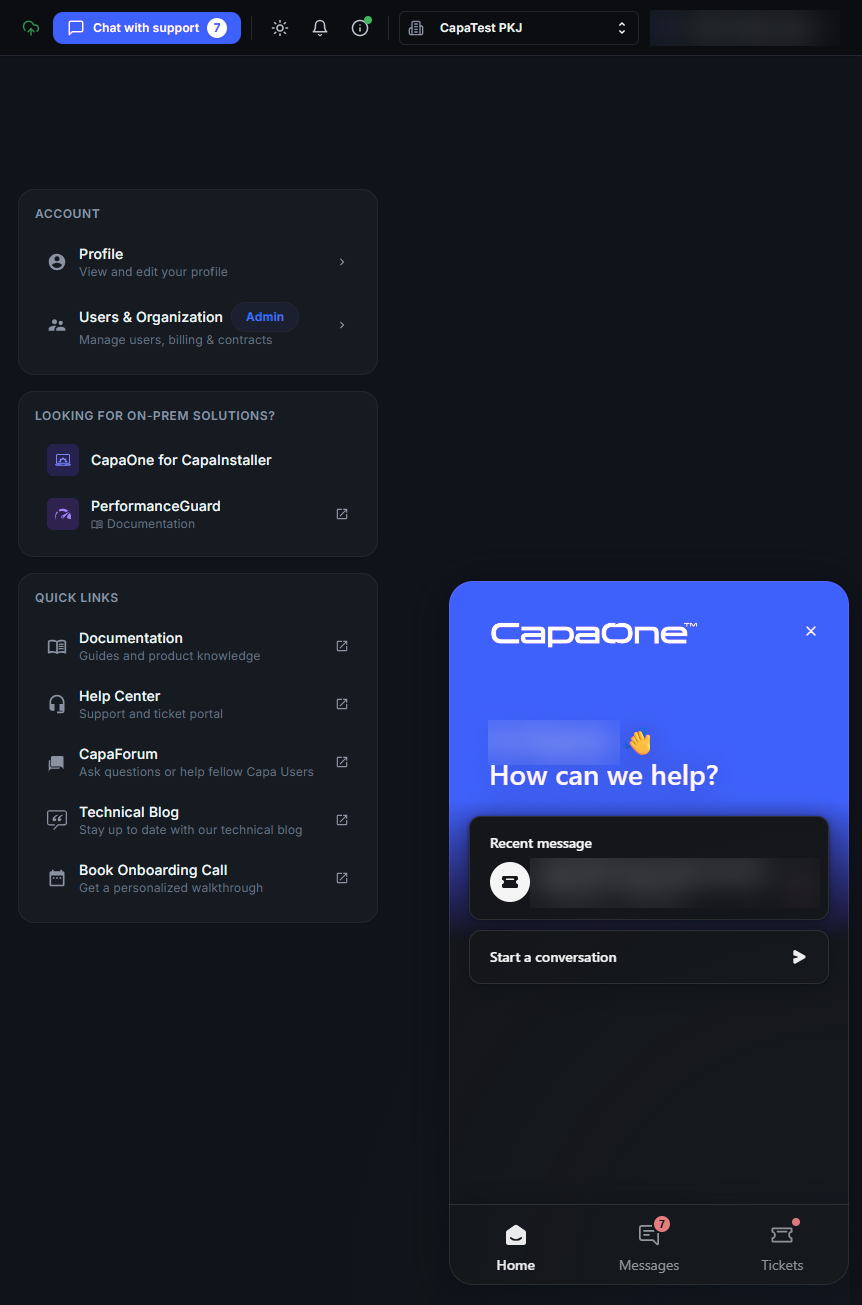
From anywhere in CapaOne: sign in to dash.capaone.com and click Chat with support in the top bar. The chat window opens in the bottom-right corner. Click Start a conversation.
-
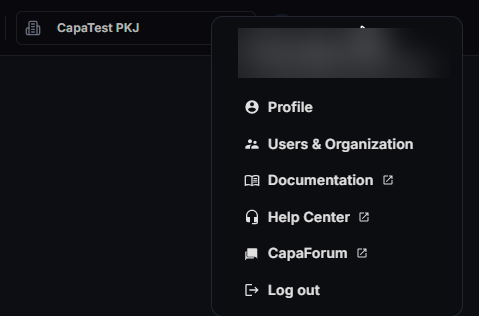
From Help Center: open Help Center (under Quick Links on the home page, or click your name in the top-right corner and select Help Center). Click New conversation. The same options open in a larger window.
Choose what you need
Section titled “Choose what you need”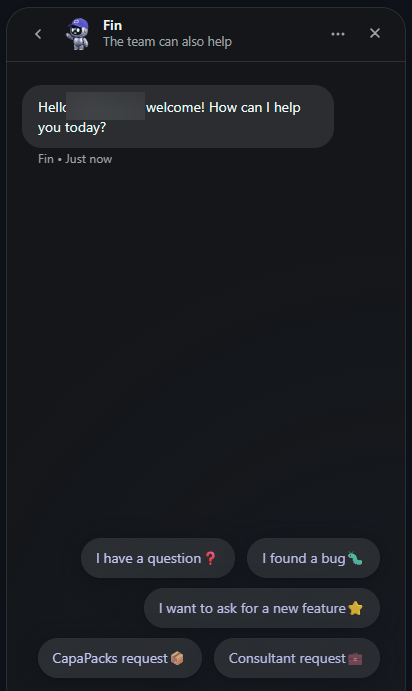
| Option | What happens |
|---|---|
| I have a question | You chat with Fin, our AI assistant. If Fin can’t resolve your question, it escalates the conversation to the support team as a ticket. Write “talk to a person” to escalate at any time. |
| I found a bug | You fill in a short form. It’s sent to us as a ticket. |
| I want to ask for a new feature | You fill in a short form. It’s sent to us as a ticket. |
| CapaPacks request | You fill in a short form. It’s sent to us as a ticket. |
| Consultant request | You fill in a short form. It’s sent to us as a ticket. |
When you chat with Fin, you don’t need to try its suggestions first. You can ask for a person in your first message. Describe what happens, on which devices, since when, and what you have already tried.
Opening hours
Section titled “Opening hours”All times are Danish time (CET/CEST).
Chat with Fin: 24/7
Tickets answered: Monday–Thursday 08:30–16:30, Friday 08:30–16:00
Phone open: Monday–Friday 09:00–15:00, on +45 70 10 70 55. You can call even if you don’t have a CapaOne login.
- Questions: Fin, our AI assistant, always answers first. If Fin can’t solve the problem, or you ask for a person, Fin passes your conversation to our support team as a ticket.
- Bug reports, feature requests, CapaPacks requests and consultant requests: These don’t go through Fin. You fill in a short form, and it goes straight to our support team as a ticket.
If you create a ticket outside ticket hours, we answer it when we open again. We aim to start on your ticket within 6 working hours.
The support team sets the priority of each ticket.
Follow your tickets
Section titled “Follow your tickets”When we reply to or update a ticket, you get a notification email. The email has a link that takes you straight to the ticket in CapaOne, where you read our reply and answer us.
You can also find your tickets here:
-
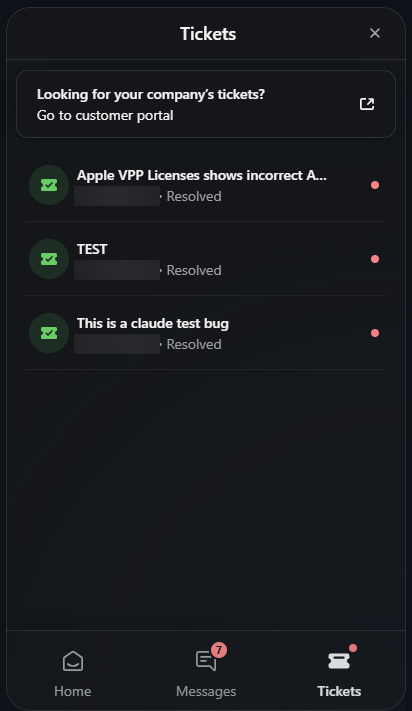
In the chat window: Messages shows your conversations and Tickets shows your tickets. The number on Chat with support counts unread messages.
-
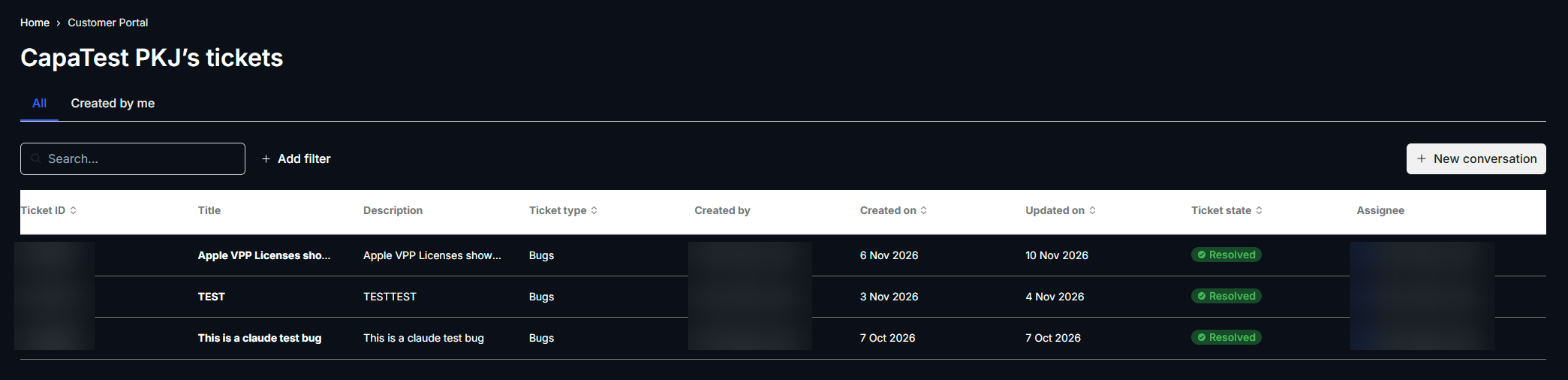
In Help Center: your organization’s tickets and the state of each. The Created by me tab shows your own. Open a ticket to follow up on it.
Use one conversation per issue. If you already have a ticket about a problem, add new information to that ticket instead of starting a new conversation.