Orphaned User Accounts
Problem
Section titled “Problem”If you are using local group validation and have specified a local group containing an orphaned user account and the domain controller is unavailable, it will some times take longer to validate elevation requests.

AdminOnDemand.log

Solution
Section titled “Solution”Detect and delete orphaned user accounts
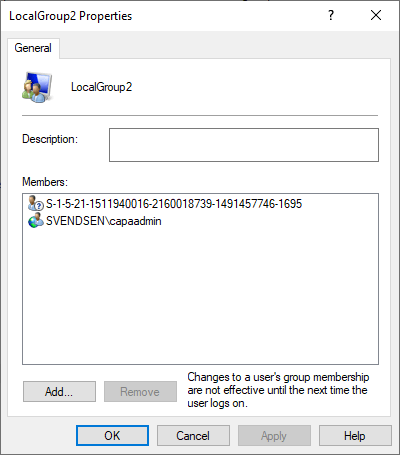
Section titled “Detect and delete orphaned user accounts”Orphaned user accounts are accounts that no longer exist. Orphaned user accounts typically appear when an Active Directory account has been added to a local group and the Active Directory account is deleted afterwards.
Enumeration
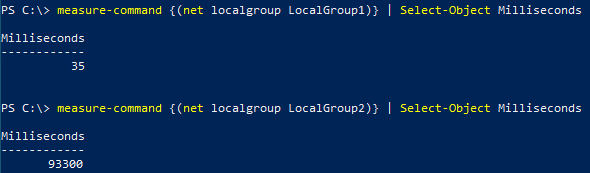
Section titled “Enumeration”Enumerating accounts in a group that contain orphaned user accounts often takes a considerable amount of time, especially when the domain controller is unavailable.
It can take up to 120 seconds to enumerate a group that contain orphaned user accounts.
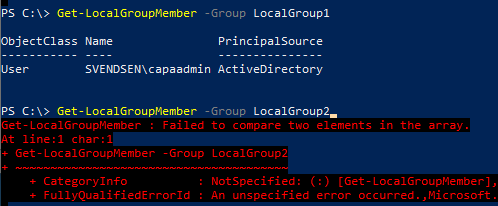
In the example below, the domain controller is unavailable and the local group “LocalGroup1” does not contain orphaned user accounts, but the local group “LocalGroup2” does.
As a result, the PowerShell cmdlet “Get-LocalGroupMember” does not work when enumerating a group containing orphaned user accounts.