

Custom Inventory for Windows Endpoints 🗂️
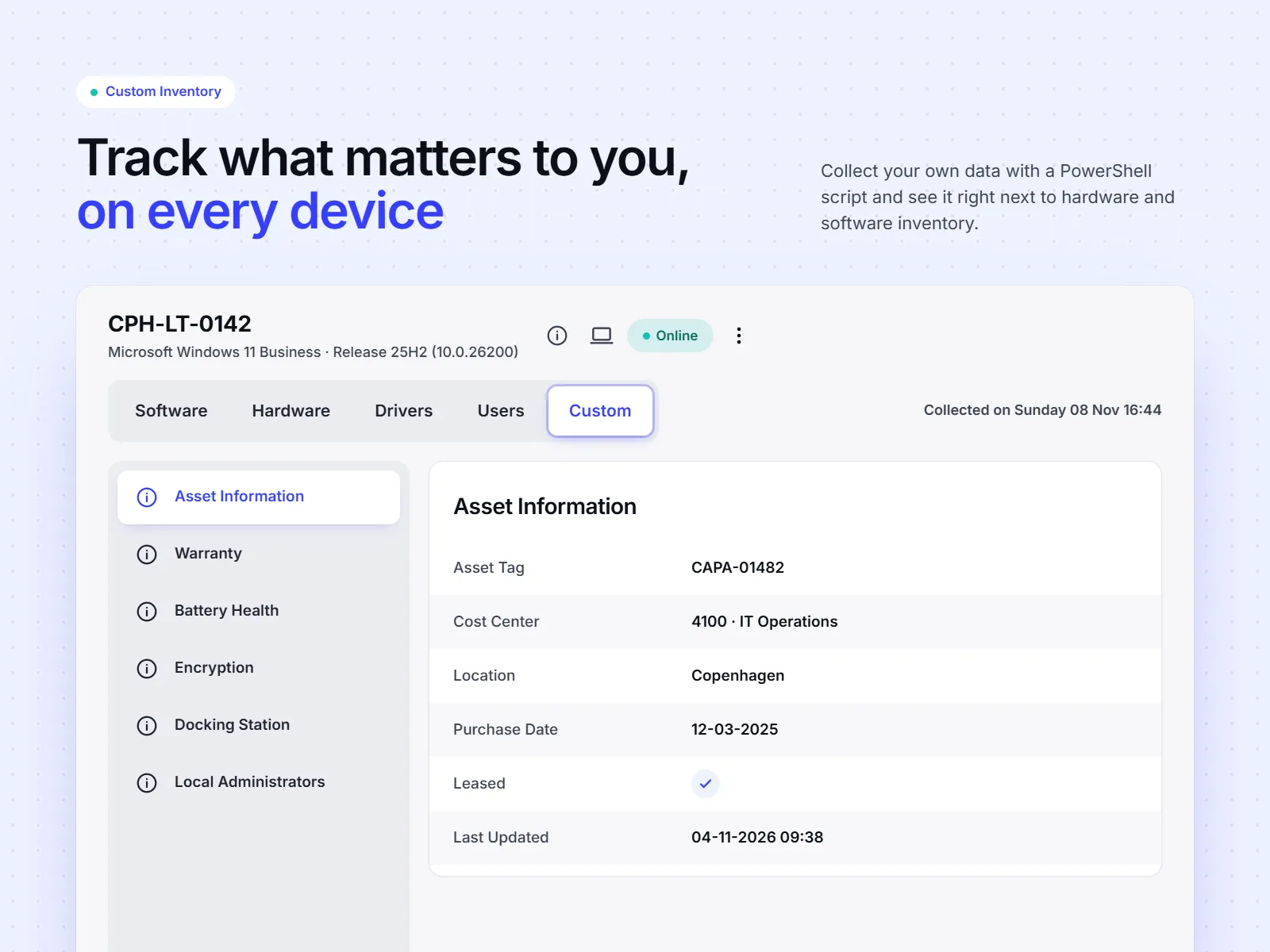
Custom inventory is your own data about your Windows endpoints — the asset tag, the cost center, the warranty, whatever your organization needs to track.
How it works
Section titled “How it works”A script writes the data on the endpoint. The CapaOne Agent sends it along with the hardware inventory. You find it on the endpoint’s page under Inventory → Custom, next to software and hardware.
- Write values with the
$cs.CustomInventory_*functions in an Execute PowerShell Snippet brick - Group values into categories, with or without instances — one set of values per endpoint, or one per printer
- Remove values again when a script is uninstalled, so stale data does not linger
Categories with instances are the part worth understanding first. One category can hold a row per printer, per disk, or per anything else the endpoint has several of.
What you need
Section titled “What you need”- Application Manager
- CapaOne Agent 1.2.273 or later — agents update automatically
Getting Started with Custom Inventory walks you through building your first script, from empty editor to data on the endpoint.
If a script fails with “does not contain a method named ‘CustomInventory_SetValue’”, see Troubleshooting in Getting Started with Custom Inventory.