

Widgets
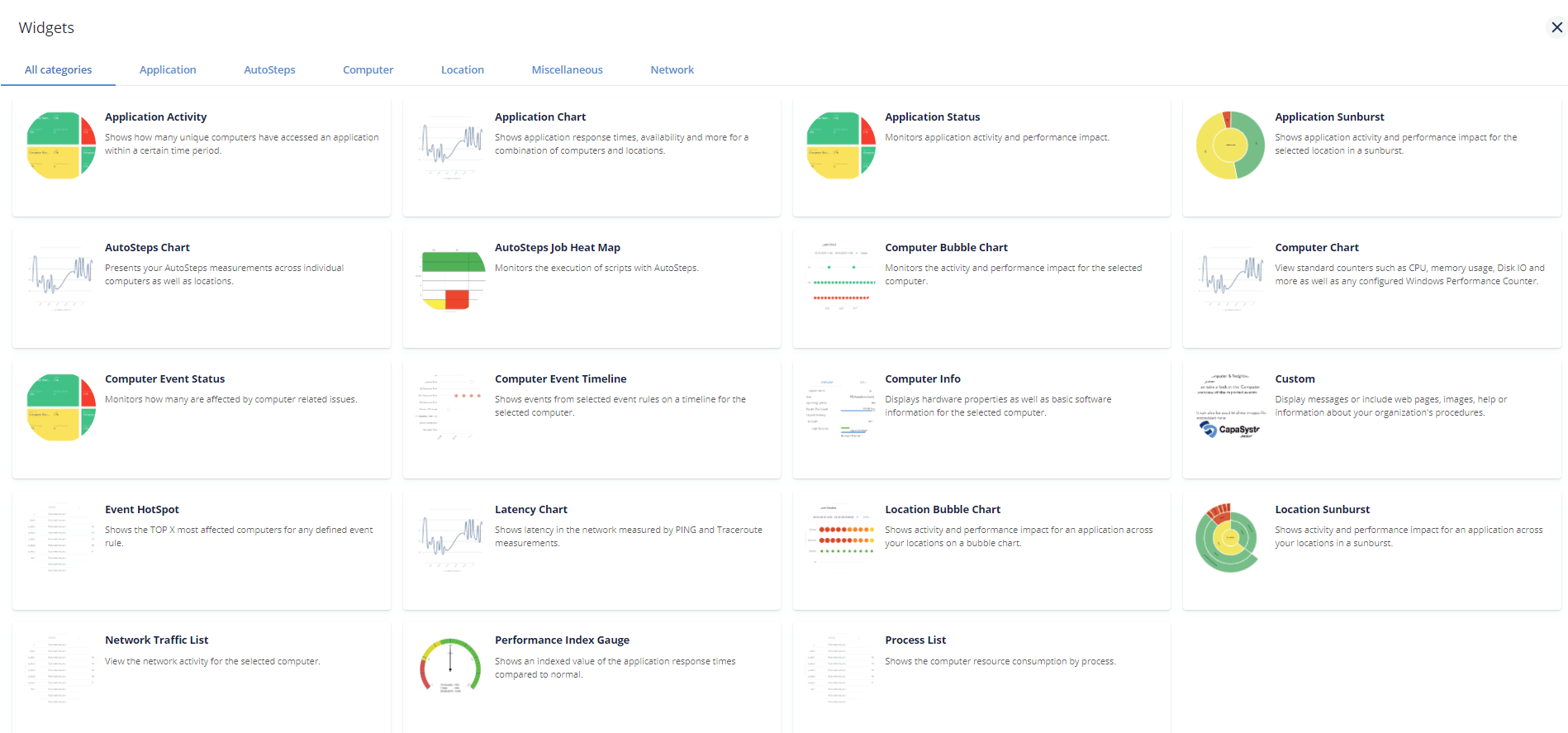
PerformanceGuard dashboards are made up of one or more widgets that each show a particular type of information. If required, you can have the same kind of widget multiple times on the same dashboard.
These widgets show information about computers or applications that you have selected on the dashboard, or that your PerformanceGuard administrator has selected for you.
Padlock on Widget?
Section titled “Padlock on Widget?” If a widget only shows a padlock icon, it means that you don’t have the necessary user rights to view the widget’s content.
Ask your PerformanceGuard administrator if you’re in doubt.
In this section
Section titled “In this section”The widgets are grouped into categories (Application, AutoSteps, Computer, Location, Network, and Miscellaneous) to help you navigate and browse them.
- Application Activity Widget
- Application Chart Widget
- Application Status Widget
- Application Sunburst Widget
- AutoSteps Job Heat Map Widget
- Autosteps Chart Widget
- Computer and Neighborhood Status Widget
- Computer Bubble Chart Widget
- Computer Chart Widget
- Computer Event Status Widget
- Computer Event Timeline Widget
- Computer Info Widget
- Custom Widget
- Event HotSpot Widget
- Latency Chart Widget
- Location Bubble Chart Widget
- Location Sunburst Widget
- Network Traffic List Widget
- Performance Index Guage Widget
- Process List Widget