# Deploy Replicator

> Deploy a Replicator, created in the System Management plugin, out to a management server.

Source: https://docs.capaone.com/capainstaller/the-capainstaller-console/system-administration/what-is-system-administration/services/replicator-service/deploy-replicator/  
Product: CapaInstaller — a separate CapaSystems product; do not apply this page to any other.

# Introduction

The following is a description of how to deploy a Replicator. The Replicators are created in the System Management plugin. The replicator will be deployed to the selected Management Server.

|          |                                                                                                                                                                                                                                                                                                                                                                   |
|:---------|:------------------------------------------------------------------------------------------------------------------------------------------------------------------------------------------------------------------------------------------------------------------------------------------------------------------------------------------------------------------|
| **Step** | **Action**                                                                                                                                                                                                                                                                                                                                                        |
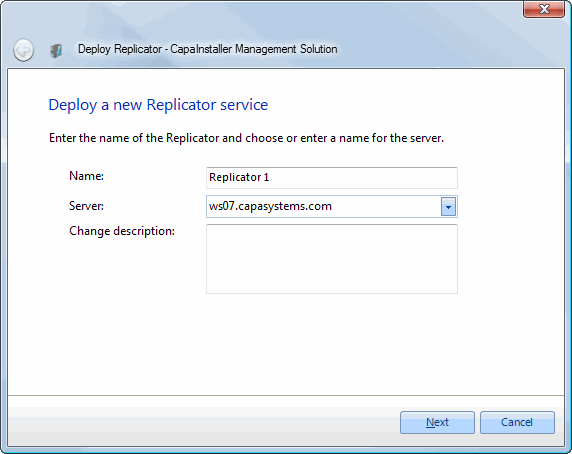
| 1        | Open the Services folder and right-click on Replicators click *Deploy Replicator* and the following form will open.                                                                                                                                                                                                                                               |
| 2        | Enter a name for the Replicator. Select the Management server and enter the name of a windows server. Enter a description. ![](/attachments/capainstaller/a7f462eb-859a-4866-8a80-b6042c0536a7.webp)                                                                                                                                                            |
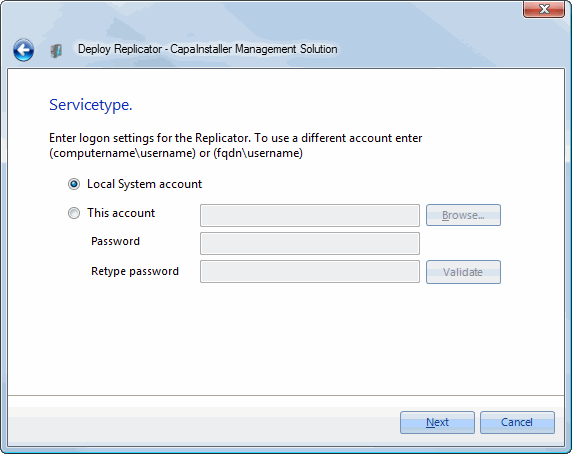
| 3        | ![](/attachments/capainstaller/6273be1e-cf4f-4981-9af1-98c08339e605.webp)                                                                                                                                                                                                                                                                                       |
| 4        | ![](/attachments/capainstaller/edf6cedd-7348-4296-8df5-c3e54d145053.webp)                                                                                                                                                                                                                                                                                       |
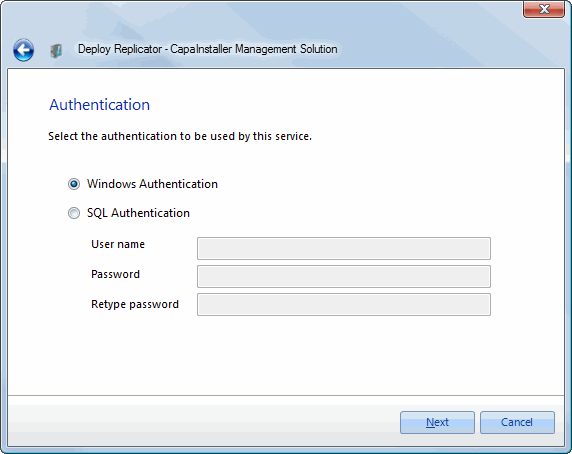
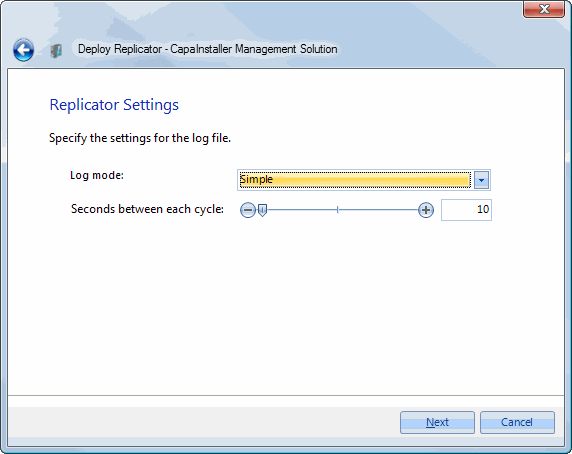
| 5        | Select the log mode. Select the advanced mode for debugging purposes. Enter the remote port setting for the replicator. Set seconds between each cycle. ![](/attachments/capainstaller/d10a6b7c-c5af-4678-8d9f-d85369107561.webp)                                                                                                                               |
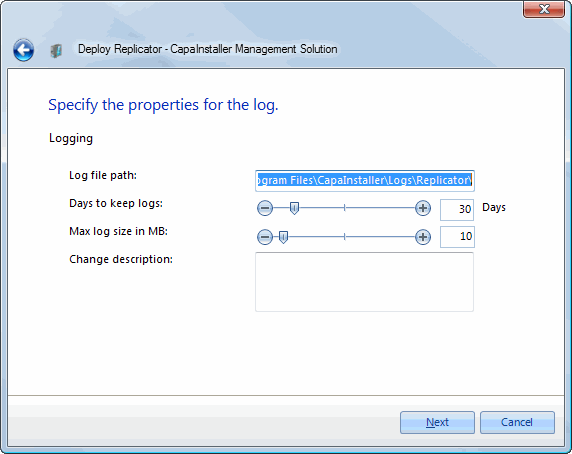
| 6        | Enter the path to the log file. Set days before log files are deleted. Set max log size in MB. Enter the change description. ![](/attachments/capainstaller/38d8ec4e-7eaa-4015-a2e3-4a1c7e9f4982.webp)                                                                                                                                                          |
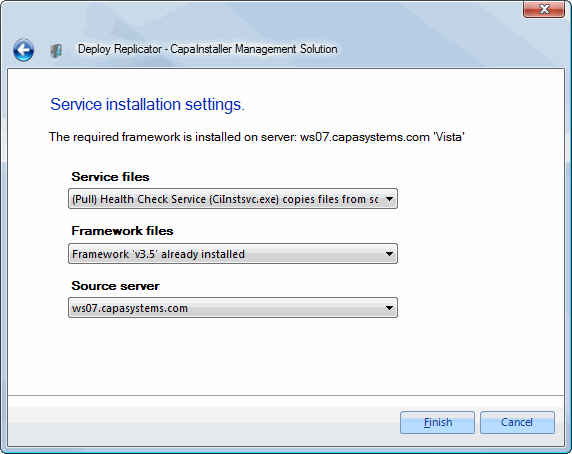
| 7        | - Select how service files are copied to target Server  - Select how framework files are copied to target Server  - Select the source server   ![](/attachments/capainstaller/ccf44218-f908-46ed-a909-5e3236716266.webp)                                                                                                                                        |
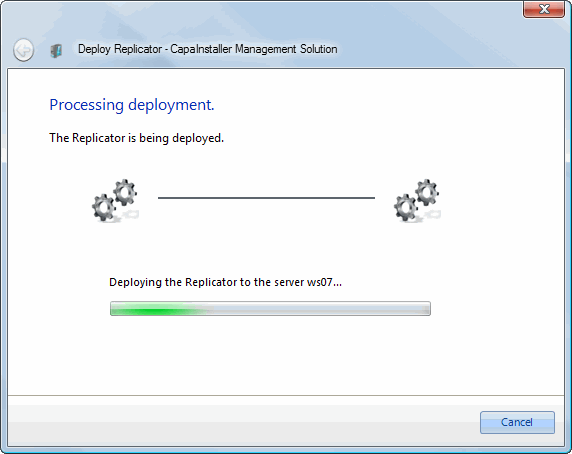
| 5        | Installs the replicator. ![](/attachments/capainstaller/ef566f78-c25b-4121-9353-f59511f16849.webp)                                                                                                                                                                                                                                                              |
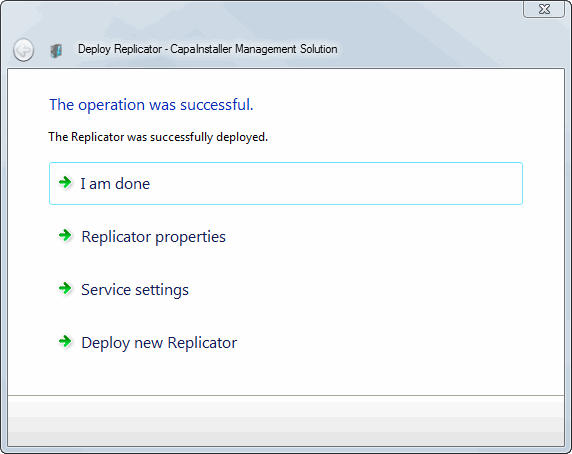
| 6        | After the Replicator has been deployed you have four options. <br/>- I am done (closes the form)<br>- Goto properties (opens the property form for the replicator)<br>- Goto Service properties (opens the service management form)<br>- Deploy new Replicator (restarts the wizard)  ![](/attachments/capainstaller/e89242e8-acd8-4c7f-b2b5-68a04af158a2.webp) |
|                                        |                                                                                                                   |
|:---------------------------------------|:------------------------------------------------------------------------------------------------------------------|
| **If you want to...**                  | **You can...**                                                                                                    |
| Learn more about Replicator properties | To learn more about Replicator properties, [Replicator Service Properties](/capainstaller/the-capainstaller-console/system-administration/what-is-system-administration/services/replicator-service/replicator-service-properties/). |
| Learn more about Service Management    | To learn about Service Management, [Services](/capainstaller/the-capainstaller-console/system-administration/what-is-system-administration/services/).                                                 |