# Deploy Front-end Service

> Deploy the Front-end Service.

Source: https://docs.capaone.com/capainstaller/the-capainstaller-console/system-administration/what-is-system-administration/services/front-end-service/deploy-front-end-service/  
Product: CapaInstaller — a separate CapaSystems product; do not apply this page to any other.

# Introduction

This will guide you through the deployment of a [Front-end Service](/capainstaller/the-capainstaller-console/system-administration/what-is-system-administration/services/front-end-service/)

|          |                                                                                                                                                                                                                                                                                                                                                                                                                                                                                                                                                                                                                          |
|:---------|:-------------------------------------------------------------------------------------------------------------------------------------------------------------------------------------------------------------------------------------------------------------------------------------------------------------------------------------------------------------------------------------------------------------------------------------------------------------------------------------------------------------------------------------------------------------------------------------------------------------------------|
| **Step** | **Action**                                                                                                                                                                                                                                                                                                                                                                                                                                                                                                                                                                                                               |
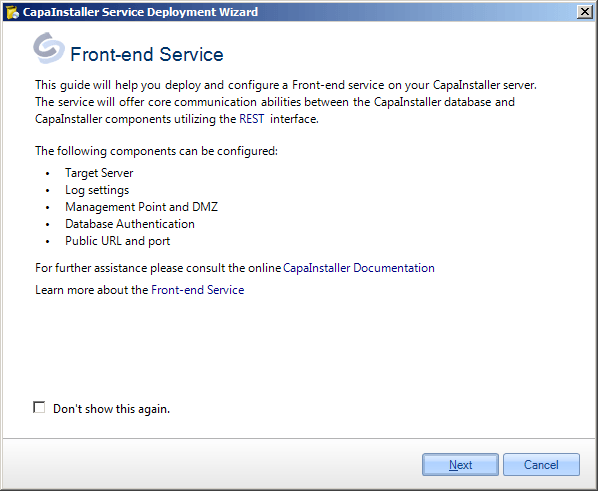
| 1        | Expand [Services](/capainstaller/the-capainstaller-console/system-administration/what-is-system-administration/services/) and right-click on Front-end Service. Click *Deploy Front-end Service* <br/> ![](/attachments/capainstaller/02ca3900-8e8d-4f80-94c1-afdb087af968.png) <br/> and the following form will open. <br/>![](/attachments/capainstaller/fa023ee5-fc4a-43ff-904b-1e36b5b1fe62.png)                                                                                                                                                                                                                                                                                                   |

| 2        | Enter the name of the Server and press Validate <br/> ![](/attachments/capainstaller/f556711a-4f14-49a6-84a7-27675fdc63b9.png)                                                                                                                                                                                                                                                                                                                                                                                                                                                                                        |
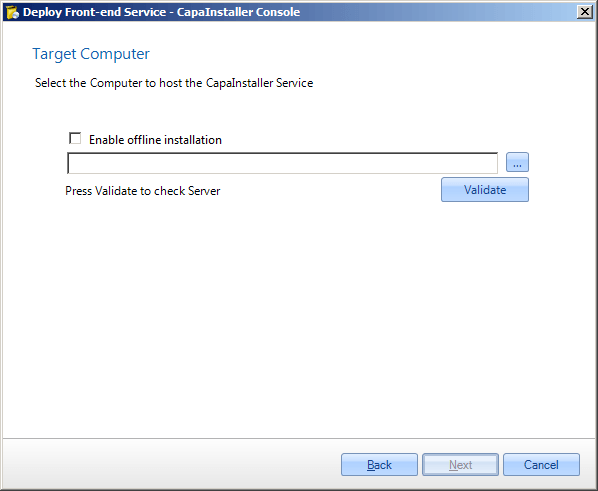
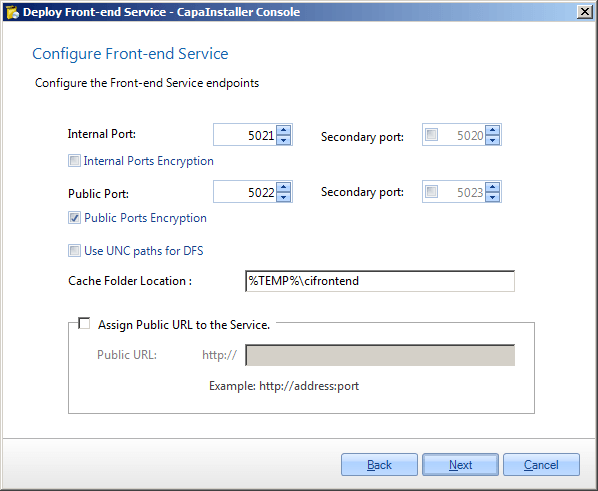
| 3        | Enter the internal port, the default port is 5021. This is the internal port on the server that the service is listening on. <br/> Assign a public URL to the service if needed. This is the public URL that the agents connect to on the outside of the firewall. <br/> You can also configure a secondary port for internal and public use. If the primary port is not available, the secondary port is used, <br/> **If the offline installation is chosen remember to complete from step 10 and onward on the target server.** <br/> **![](/attachments/capainstaller/9f2f60da-7bcd-4b13-ae48-147295e7d4fb.png)** |
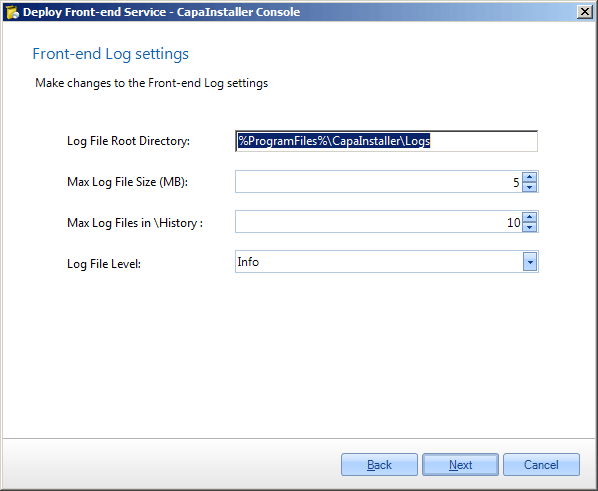
| 4        | Change these Log settings as needed or use the default. <br/> ![](/attachments/capainstaller/7ec57de3-4be8-4733-9a45-d4e3d339ce9e.png)                                                                                                                                                                                                                                                                                                                                                                                                                                                                                |
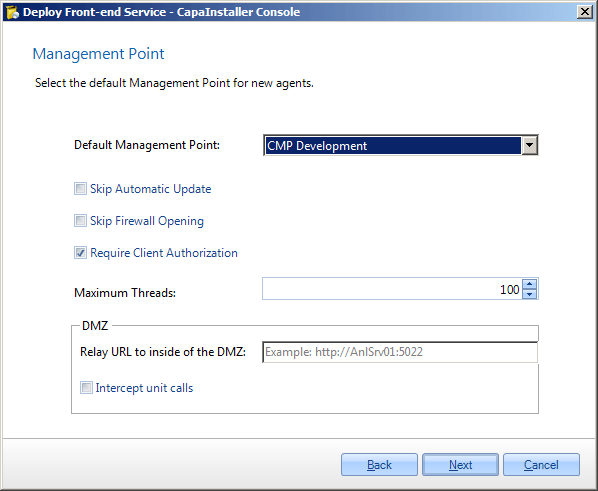
| 5        | Select the default Management Point for new agents. <br/> This sets the default point where new computers and devices without a specific enrollment configuration will be enrolled to <br/> ![](/attachments/capainstaller/4851680c-8b7a-4c05-bb91-bddae1fae958.png)                                                                                                                                                                                                                                                                                                                                                  |
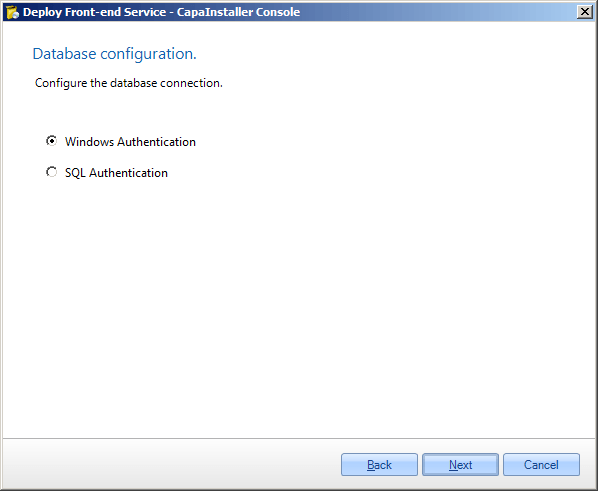
|          | Normally Windows authentication should be used, however, it is possible to use SQL authentication. <br/> **If offline is chosen we recommend SQL Authentication.** <br/> ![](/attachments/capainstaller/5bbcae24-2f80-456c-81dd-6bf9f1d0e896.png)                                                                                                                                                                                                                                                                                                                                                                     |
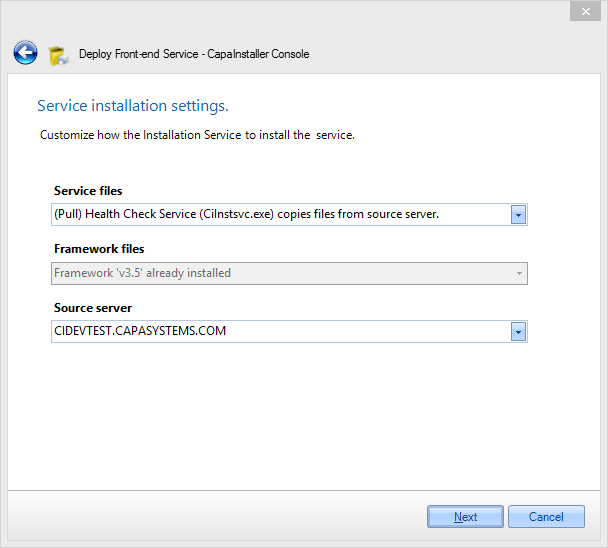
| 7        | - Select how service files are copied to target Server <br/> - Select how framework files are copied to target Server <br/> - Select the source server <br/> ![](/attachments/capainstaller/c336bcaa-6674-4390-9406-d8f928aad504.png)                                                                                                                                                                                                                                                                                                                                                                                 |
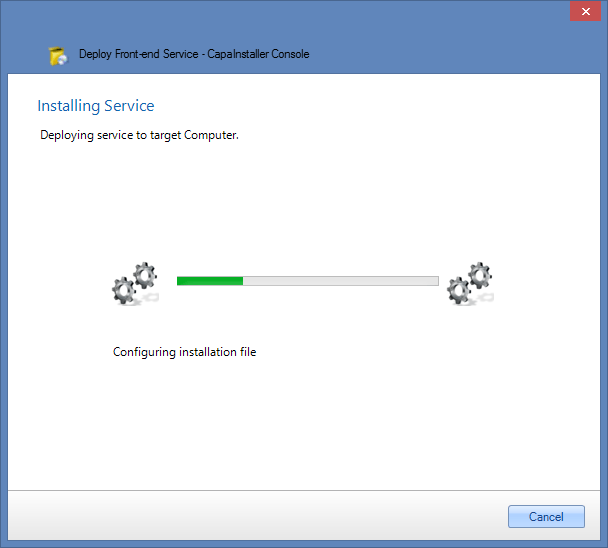
| 8        | The Front-end Service is being installed with the Install service. <br/> ![](/attachments/capainstaller/aa477668-d730-471f-bb0b-771786df7f7b.png)                                                                                                                                                                                                                                                                                                                                                                                                                                                                     |
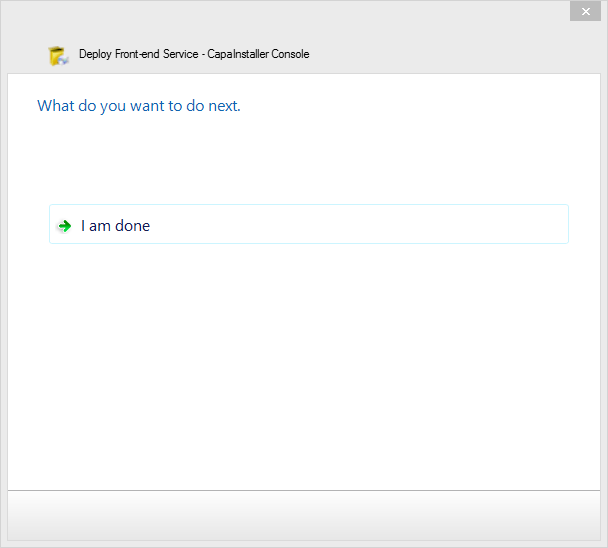
| 9        | Installation completed. <br/> ![](/attachments/capainstaller/55ea5e04-54e7-4ea5-a4d0-71a8e6a11ce7.png)                                                                                                                                                                                                                                                                                                                                                                                                                                                                                                                |

|    |                                                                                                                            |
|---:|:---------------------------------------------------------------------------------------------------------------------------|
|    | Front-end service installation finished. <br/> ![](/attachments/capainstaller/20052f45-9779-4607-807c-432f2bb535aa.png) |
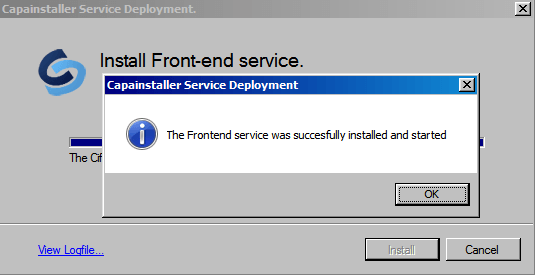
| 18 | Click close                                                                                                                |

### Offline service deployment

:::note[Important]
For services planned to be hosted on a server unreachable by [The Operator Computer](/capainstaller/the-capainstaller-console/general-console-settings-and-views/the-operator-computer/)... (e.g. in a DMZ zone or similar) offline deployment via the Back-end service can be used.
:::

Below is a description, with examples showing an offline deployment.

<details>
<summary>Offline deployment method...</summary>

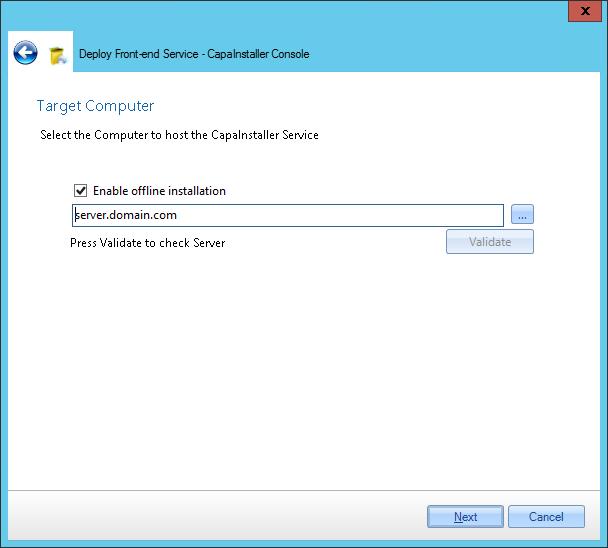
- **Input** target computer for the service and **check** *Enable offline installation*  
  ![](/attachments/capainstaller/20342567559-Offlinedeploy.png)

- **Log in** as an administrator on the target computer
- Open a browser and c**heck** that the browser is in a state where downloads are allowed.
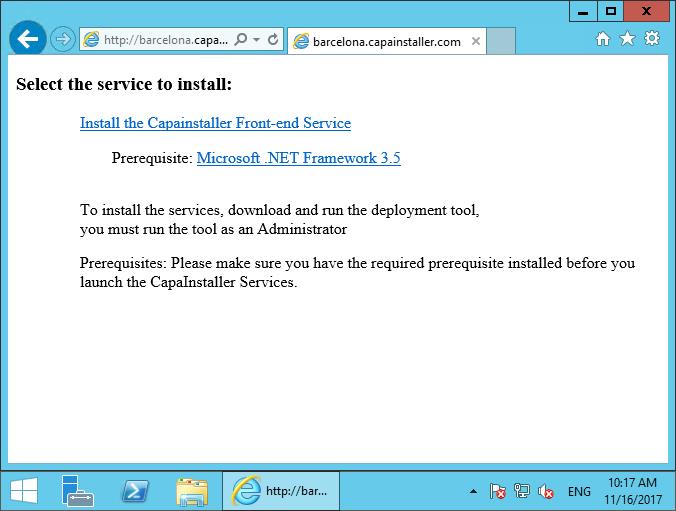
- **Insert URL** to the Back-end service appending */Install* and *fqdn=The target computers DNS name*

  ```java
  http://\<ciBackendServer\>:\<port\>/ciBackend/Install?fqdn=\<fqdn\>
  ```
- Microsoft .NET Framework 4.6.2 is a prerequisite - if. NET4.6.2 is not available on the server **Click the link** to install
- **Click** *Install the Service* -  The installer executable file will be downloaded  
  ![](/attachments/capainstaller/20342567559-Offline-Deploy-browser.png)

- **Execute** the downloaded installer file

</details>