# Deploy the Back-end Service

> Deploy the CapaInstaller Back-end Service.

Source: https://docs.capaone.com/capainstaller/the-capainstaller-console/system-administration/what-is-system-administration/services/back-end-service/deploy-the-back-end-service/  
Product: CapaInstaller — a separate CapaSystems product; do not apply this page to any other.

# Introduction

This section will guide you through the deployment of a Back-end Service.

|          |                                                                                                                                                                                     |
|:---------|:------------------------------------------------------------------------------------------------------------------------------------------------------------------------------------|
| **Step** | **Action**                                                                                                                                                                          |
| 1        | Open the Services folder and right-click on Back-end Service click *Deploy Backend Service* and the following form will open. <br/> Enter the name of the Server and press Validate |
| 2        | ![](/attachments/capainstaller/1885bdff-40cb-4adc-8e53-07470b63b81d.png)                                                                                                         |
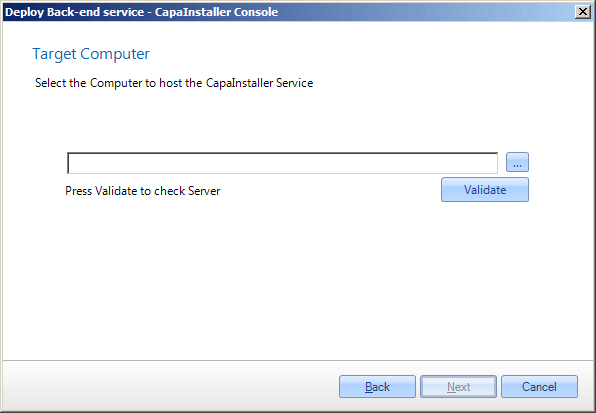
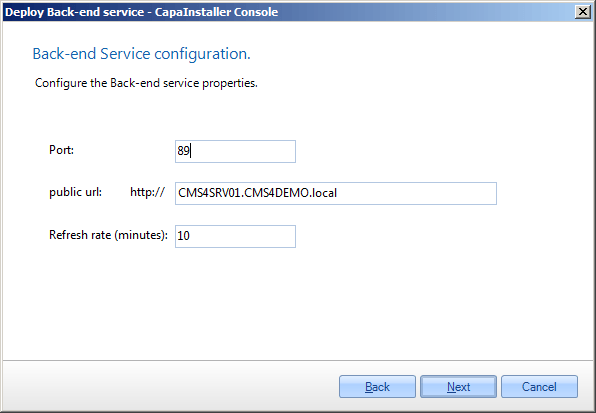
| 3        | Enter port, the default port is 80 <br/> Assign a public URL to the service if needed                                                                                               |
| 4        | ![](/attachments/capainstaller/877106ea-fc7b-4d0e-8e40-bfb2d95601e7.png)                                                                                                         |
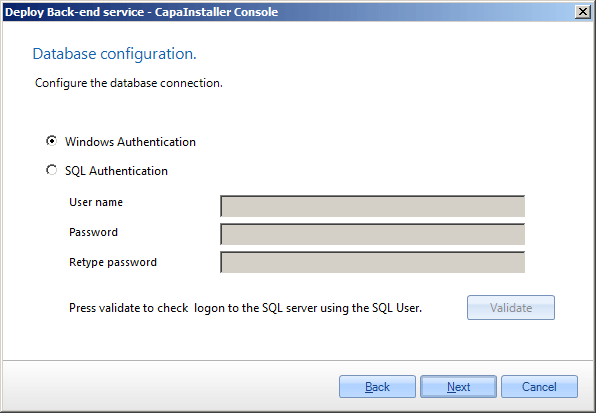
| 5        | Normally Windows authentication should be used, however, it is possible to use SQL authentication and Data Connection Service.                                                      |
| 6        | ![](/attachments/capainstaller/1f62adf3-920d-43e7-8d5f-d5915d74f89e.png)                                                                                                         |
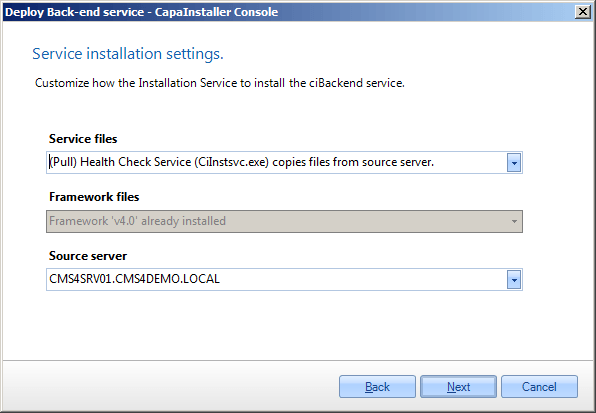
| 7        | - Select how service files are copied to target Server  - Select how framework files are copied to target Server  - Select the source server                                        |
| 8        | ![](/attachments/capainstaller/65002893-e6db-479c-86d6-909676a6c374.png)                                                                                                         |
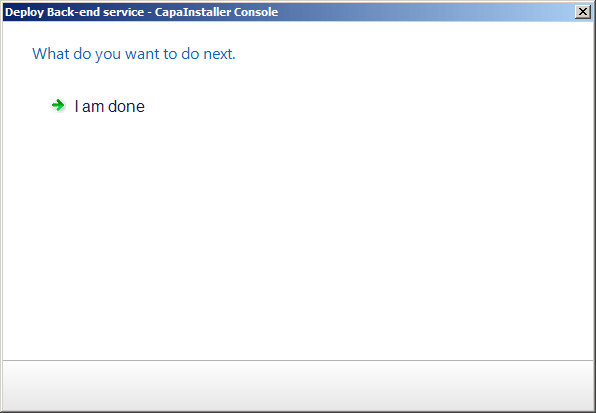
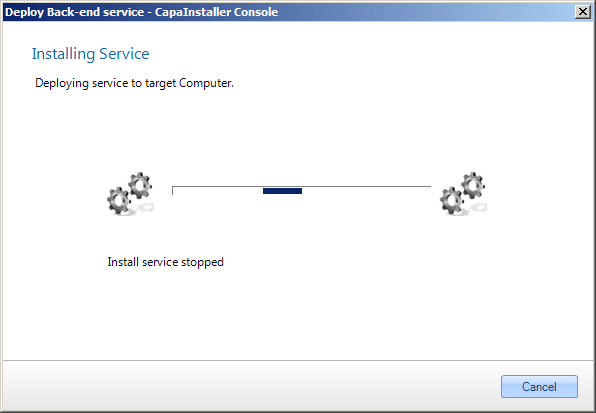
| 11       | The Frontend service is being installed.                                                                                                                                            |
| 12       | ![](/attachments/capainstaller/1aacdac5-a01f-4801-bbcf-94825fcae231.png)                                                                                                         |
| 13       | Installation completed.                                                                                                                                                             |
| 14       | ![](/attachments/capainstaller/06a32547-0ef8-4353-a1fb-a5e4b1d6c8f0.png)                                                                                                         |