# Create new Business Unit

> Use the New Business Unit wizard to create a business unit in System Administration.

Source: https://docs.capaone.com/capainstaller/the-capainstaller-console/system-administration/what-is-system-administration/business-units/create-new-business-unit/  
Product: CapaInstaller — a separate CapaSystems product; do not apply this page to any other.

# Introduction

The New Business Unit wizard is used to create a new Business Unit for CapaInstaller. The created Business Unit will be listed in System Administration and represented in all Management Points in Configuration Management.

|          |                                                                                                                                                                                                                                                                                                                                                                                                                                                                                                                              |
|:---------|:-----------------------------------------------------------------------------------------------------------------------------------------------------------------------------------------------------------------------------------------------------------------------------------------------------------------------------------------------------------------------------------------------------------------------------------------------------------------------------------------------------------------------------|
| **Step** | **Action**                                                                                                                                                                                                                                                                                                                                                                                                                                                                                                                   |
| 1        | Go-To System Administration                                                                                                                                                                                                                                                                                                                                                                                                                                                                                                  |
| 2        | Click *Business Units* in the tree view, and then click *New*                                                                                                                                                                                                                                                                                                                                                                                                                                                                |
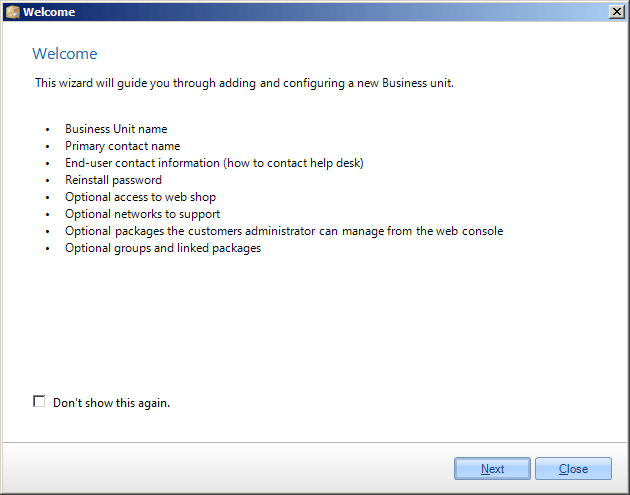
| 3        | ![](/attachments/capainstaller/11bb214c-b2fb-49cc-8eb4-4e094dfc7eeb.png) <br/> On the first page, the welcome pages describes the wizard. Click *Don't show this again*, to avoid seeing this page in the future. <br/> Click *Next* to move to the next page.                                                                                                                                                                                                                                                               |
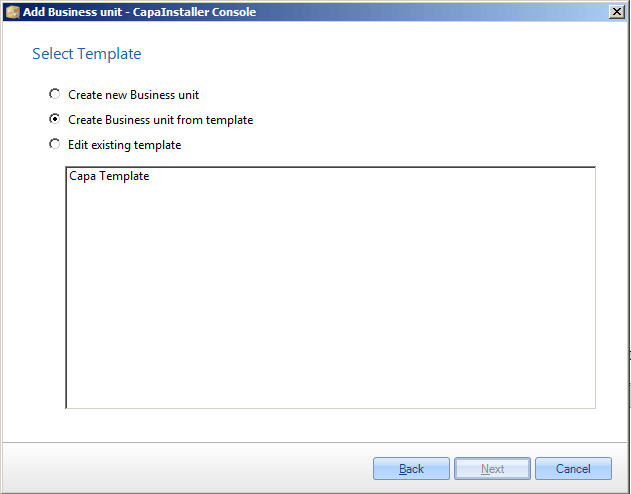
| 4        | ![](/attachments/capainstaller/93503ecb-6d2f-4f26-afc1-b9bac01ab7f1.png) <br/> When all the steps in this wizard have been completed, the choices made can be saved as a template. <br/> Select between creating a new business unit, which can be based on a previously created template, or edit a template.                                                                                                                                                                                                               |
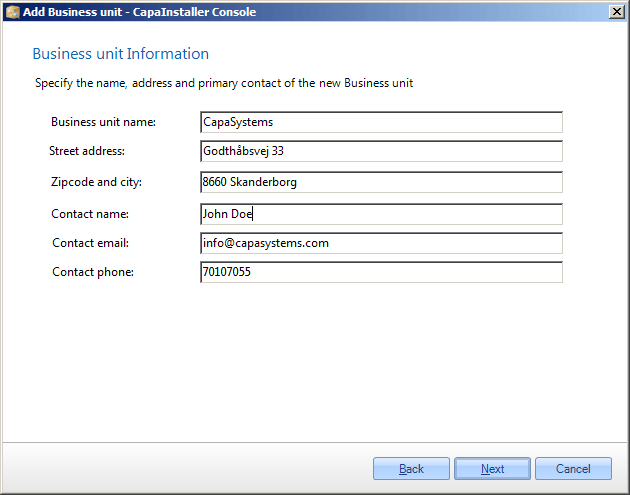
| 5        | ![](/attachments/capainstaller/bd9a0025-7250-4492-a7d9-594fcf14ad6f.png) <br/> Enter the contact information for the new Business Unit. <br/> This information is unique, and will not be saved in a template.                                                                                                                                                                                                                                                                                                               |
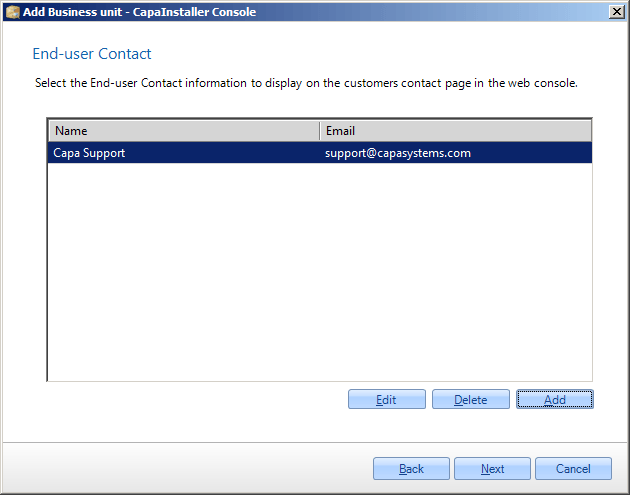
| 6        | ![](/attachments/capainstaller/fa267ee6-2107-4538-842f-f4edc1c9632b.png) <br/> Select or create a new End-user contact. The end-user contact is the contact or help desk, the end-user can contact, if there are any problems with their computer. <br/> Clicking *Add* or *Edit* will show the form below.                                                                                                                                                                                                                  |
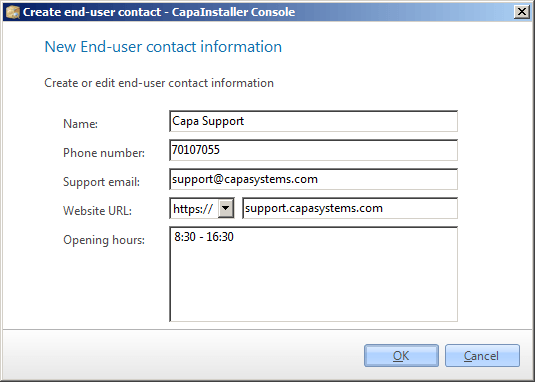
| 7        | ![](/attachments/capainstaller/34703381-bec0-4adf-95e2-93819261086b.png) <br/> This is the form for creating or editing an end-user contact. The end-user contact is the person or help desk, the end-user of the Business Unit should contact. <br/> Click *OK* to create or edit the end-user contact.                                                                                                                                                                                                                     |
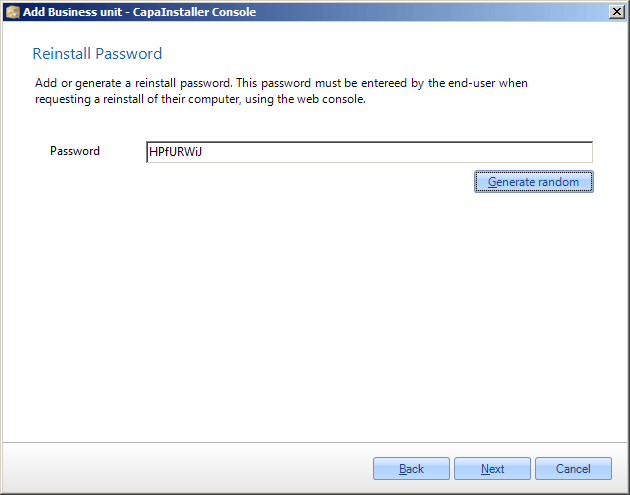
| 8        | ![](/attachments/capainstaller/e4e2c842-3f19-452e-b03c-480ca8e7a8a2.png) <br/> Enter a password for reinstall or auto-generate a password. The reinstall password is used when setting a computer to reinstall in the web console. <br/>❗ Web Console <br/>  The Web Console is only available to CapaInstaller As A Service Partners. If you are not a Partner this password will not be used or requested elsewhere.                                                                                                      |
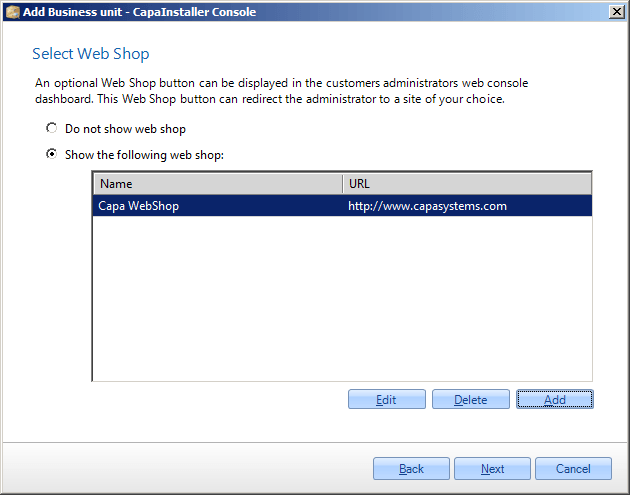
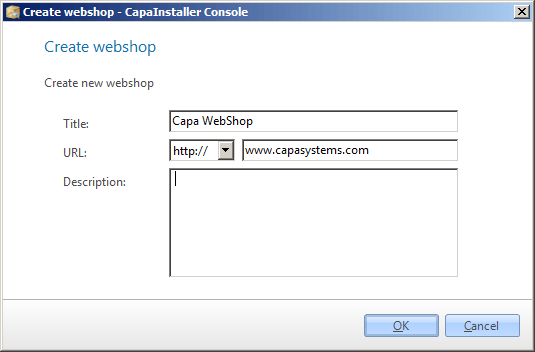
| 9        | ![](/attachments/capainstaller/742bfc3a-d3eb-40a7-a7ec-c5289b66cf7a.png) <br/> Choose between using or not using a webshop. Select one of the existing webshops or add a new one. <br/> Clicking *Add* or *Edit* will show the form below. <br/>❗ Web Console <br/>  The Web Console is only available to CapaInstaller As A Service Partners.                                                                                                                                                                              |
| 10       | ![](/attachments/capainstaller/4ccb4402-0f4d-41fb-bba9-b1070dba2014.png) <br/> This is the form for creating or editing a webshop. The webshop will show as a link in the web console <br/> Click *OK* to create or edit the end-user contact.                                                                                                                                                                                                                                                                               |
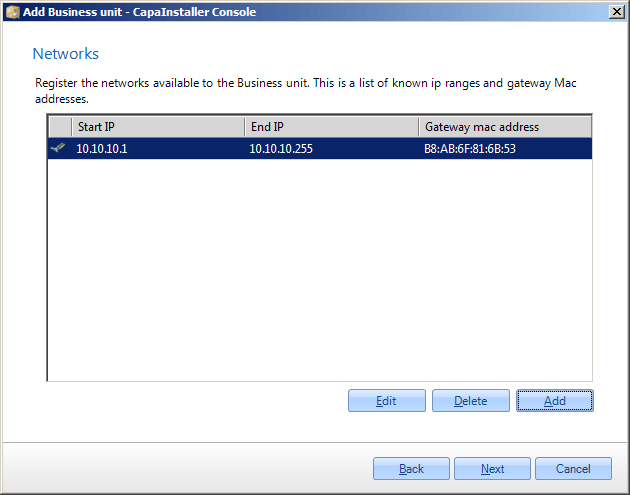
| 11       | ![](/attachments/capainstaller/c7884d30-80fa-4070-afcc-379ab5f27f36.png) <br/> Allow for the registration of networks, that computer request can arrive from. This is based on the Default gateway mac address and IP start/end addresses. <br/> This information is unique, and will not be saved in a template. <br/> Clicking *Add* or *Edit* will show the form below. <br/>❗ Web Console <br/>  This is only used for CapaInstaller As A Service Partners and is not used in an Enterprise CapaInstaller Installation. |
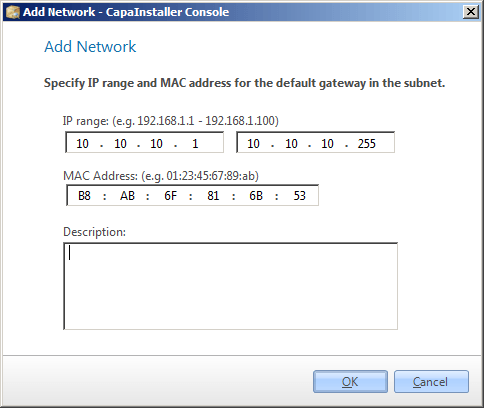
| 12       | ![](/attachments/capainstaller/7059bd32-c663-494c-8e92-81d9d40f2dab.png) <br/> This is the form for creating or editing a network.                                                                                                                                                                                                                                                                                                                                                                                           |
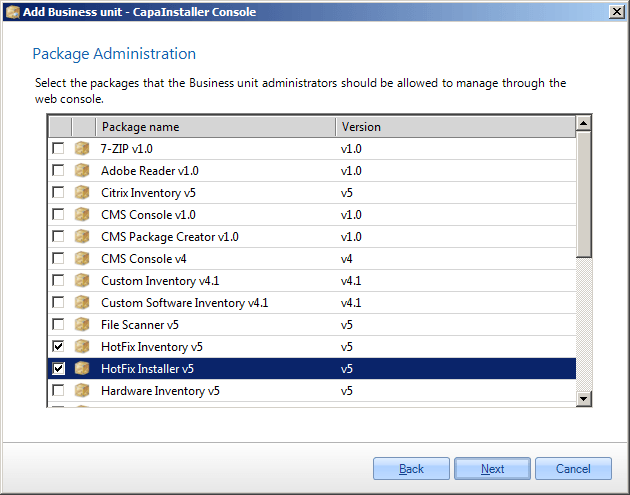
| 13       | ![](/attachments/capainstaller/2396a295-18a4-491d-8d36-6052093d8f62.png) <br/> Select the packages to be linked directly to the new Business Unit, to allow for administrators to assign to his computers.                                                                                                                                                                                                                                                                                                                   |
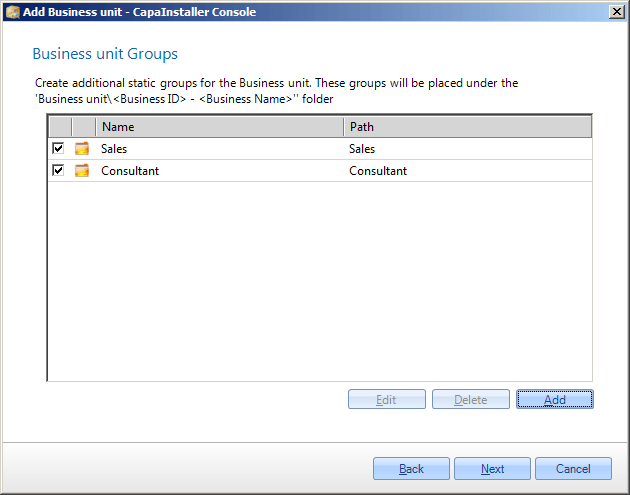
| 14       | ![](/attachments/capainstaller/ad736f95-c65c-4635-b07f-d779995160d3.png) <br/> Create or edit custom static groups and assign predefined packages to the groups. The selected groups will be created inside the new Business Unit. <br/> Clicking *Add* or *Edit* will show the form below.                                                                                                                                                                                                                                  |
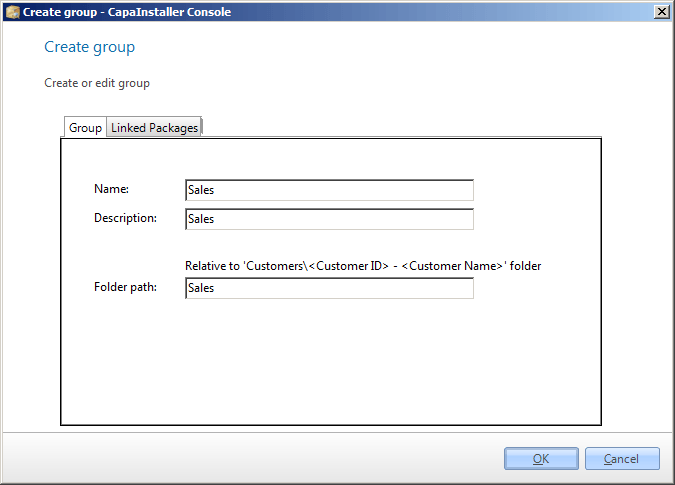
| 15       | ![](/attachments/capainstaller/26cb7447-82af-4e3e-bfea-027e1f77a96c.png) <br/> Create a static group and assign packages to the group. The group will be created inside the new Business Unit.                                                                                                                                                                                                                                                                                                                               |
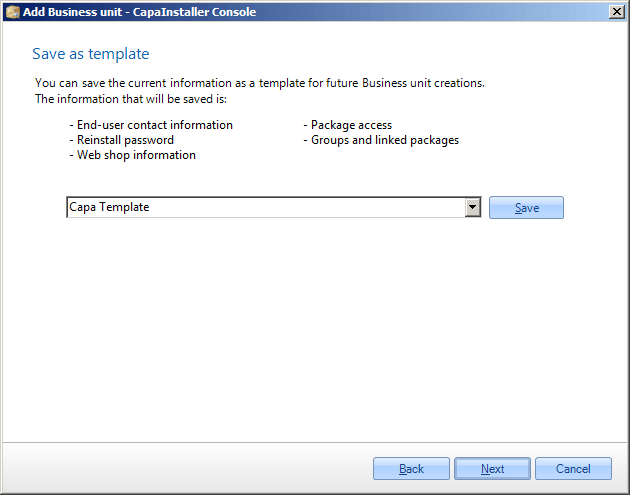
| 16       | ![](/attachments/capainstaller/dd98f914-75ba-49e4-a78a-ec713f7c7207.png) <br/> Select an existing template or enter a new template name. Click *Save*, to save the template to the database.                                                                                                                                                                                                                                                                                                                                 |
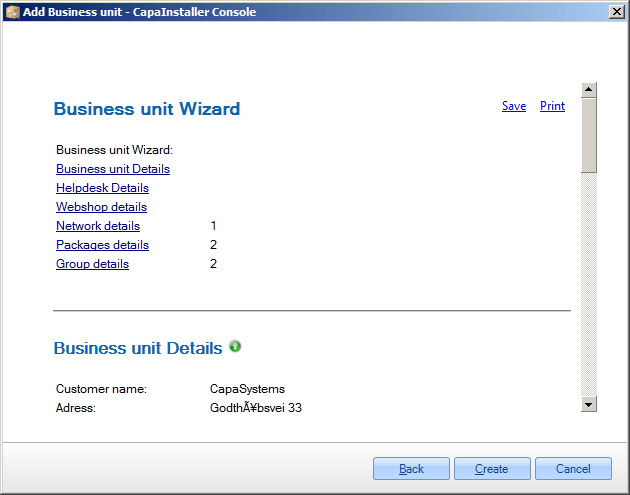
| 17       | ![](/attachments/capainstaller/956e85b4-6644-4bdc-8d1c-a87c30620f83.png) <br/> The summary page shows the entered and selected items in HTML format. Click *Save* to save the HTML file or *Print* to print out the document. <br/> When clicking *Create*, then a new Business Unit will be created in the database. Clicking *Cancel* will not save anything.                                                                                                                                                              |
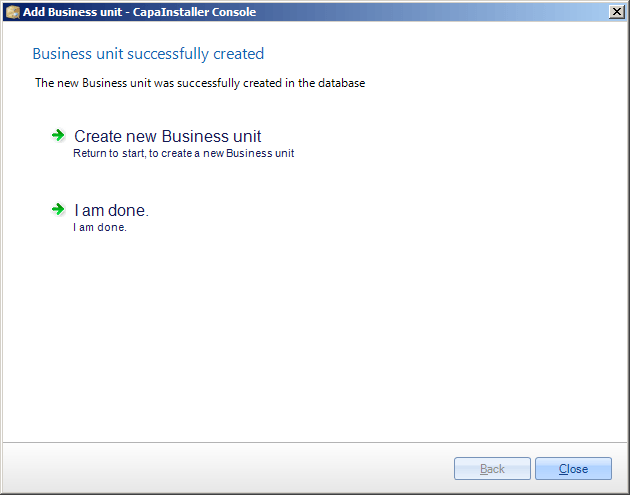
| 18       | ![](/attachments/capainstaller/b24c212a-a739-48e6-ae35-d591253ab996.png) <br/> On the last page, it is possible to quit the wizard or return to the beginning to create a new Business Unit.                                                                                                                                                                                                                                                                                                                                 |