# Customize categories and classifications
> Choose which categories and classifications appear in the Patch Management tree view.
Source: https://docs.capaone.com/capainstaller/the-capainstaller-console/patch-management/how-to-use-patch-management/customize-categories-and-classifications/
Product: CapaInstaller — a separate CapaSystems product; do not apply this page to any other.
To change which categories (products) and classifications are shown in the tree view, follow the steps below. The **Products** tab controls the categories, and the **Classifications** tab controls the classifications.
| | |
|:---------|:------------------------------------------------------------------------------------------------------------------------------------------------------------------------------------------------------------------------------------------------|
| **Step** | **Action** |
| 1 | Open the WSUS management console. |
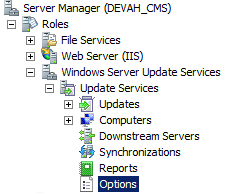
| 2 | Select **Options** in the view on the left side.
 |
| 3 | Select **Products and Classifications** in the middle.
 |
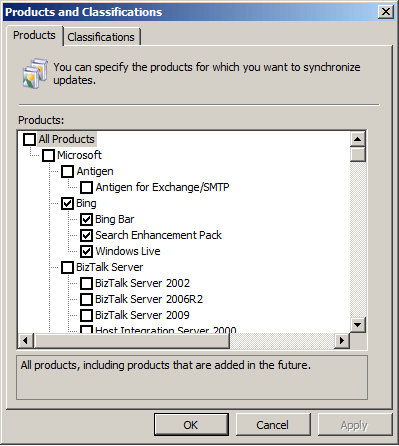
| 4 | On the **Products** tab, select or deselect the products (categories) you want to show or hide.
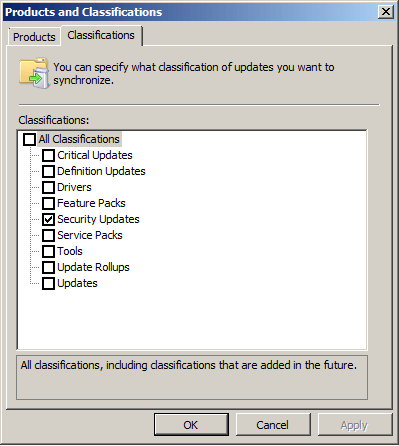
On the **Classifications** tab, select or deselect the classifications you want to show or hide.
 |
| 5 | Click **OK**. |
| 6 | When the Patch Management service is re-run, the CapaInstaller database is updated and the change becomes visible in the GUI. |
## Related
- [Categories and Classifications](/capainstaller/the-capainstaller-console/patch-management/what-is-patch-management/categories-and-classifications/) - What categories and classifications are and how they control which updates apply.