# How to add NIC to boot.wim

> Add a NIC driver to the boot.wim boot image, step by step.

Source: https://docs.capaone.com/capainstaller/the-capainstaller-console/os-deployment/how-to-use-osd/how-to-add-nic-to-boot-wim/  
Product: CapaInstaller — a separate CapaSystems product; do not apply this page to any other.

|   Step | To do                                                                                                                                                                                                                                                                                                                                                                                                                                        |
|-------:|:---------------------------------------------------------------------------------------------------------------------------------------------------------------------------------------------------------------------------------------------------------------------------------------------------------------------------------------------------------------------------------------------------------------------------------------------|
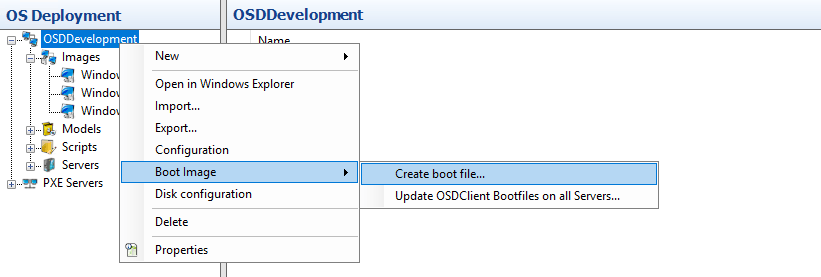
|      1 | First, in your CI-Console, go in to your OSD, and right click your OSD-Point, expand "Boot image", and click "Create boot file...": <br/> ![](/attachments/capainstaller/d9ff9952-3cae-44e2-9856-37435e4a02c8.png)                                                                                                                                                                                                                              |
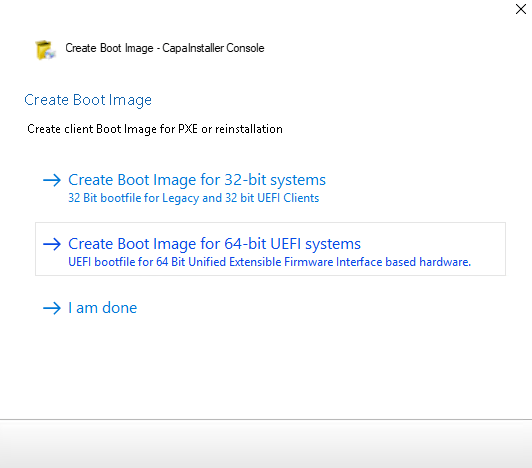
|      2 | Choose "Create Boot Image for 64-bit UEFI systems": <br/> ![](/attachments/capainstaller/83b7595b-9f81-4dda-ad11-474288186072.png)                                                                                                                                                                                                                                                                                                              |
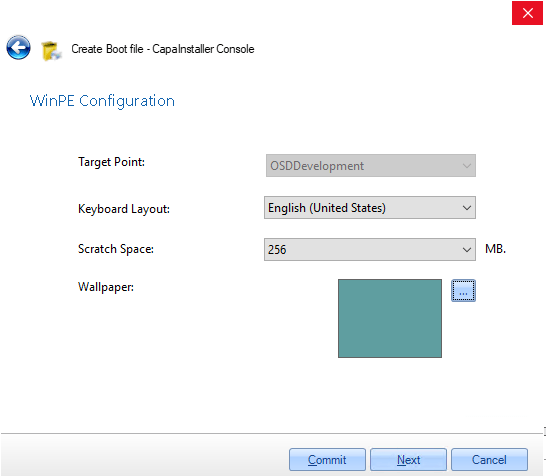
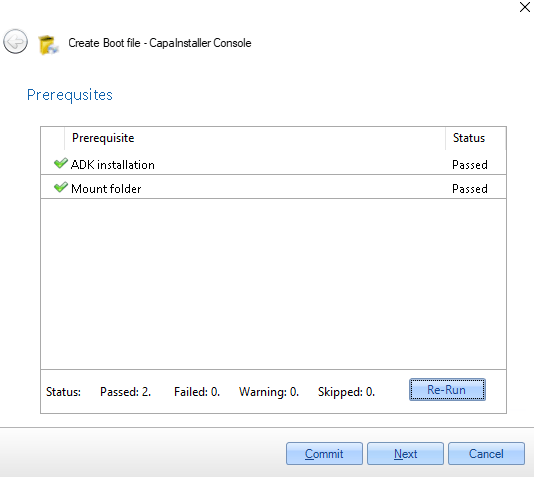
|      3 | To do this, you need to have an ADK-installation and Windows PE: <br/> [OSD - Installation of Windows ADK and WINPE](/capainstaller/knowledge-base/osd-installation-of-windows-adk-and-winpe/) <br/> If you have it you can just click "next": <br/> ![](/attachments/capainstaller/9b960ae2-3cd5-48e3-bbc9-0e8196b2e09f.png) |
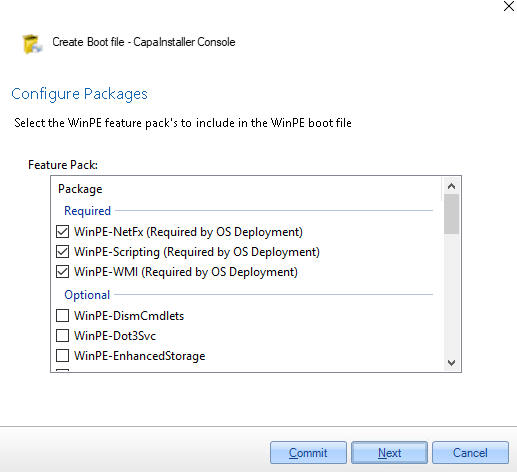
|      4 | You have to click the required packs off, and click "Next": <br/> ![](/attachments/capainstaller/f2d41226-8aa4-47d7-aa0b-3311e3c2083f.png) <br/> (THE OTHER PACKAGES ARE OPTIONAL)                                                                                                                                                                                                                                                              |
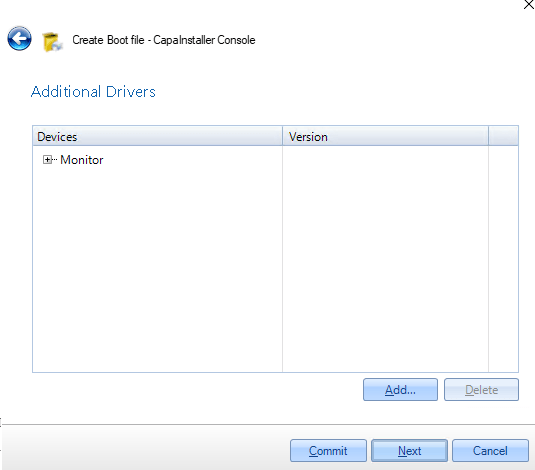
|      5 | In this page, click "Add", and add the driveres you need to add to your boot.wim, and click next: <br/> ![](/attachments/capainstaller/4dd948bd-085c-41fd-9301-ae9b7ab80342.png)                                                                                                                                                                                                                                                                |
|      6 | Click "Next": <br/> ![](/attachments/capainstaller/bdb44bf9-4efb-49cf-8bbd-02dd7d2e5e74.png)                                                                                                                                                                                                                                                                                                                                                    |
|      7 | Click "Commit": <br/> ![](/attachments/capainstaller/be6529df-a8e2-4b60-9854-b8a082b88955.png)                                                                                                                                                                                                                                                                                                                                                  |
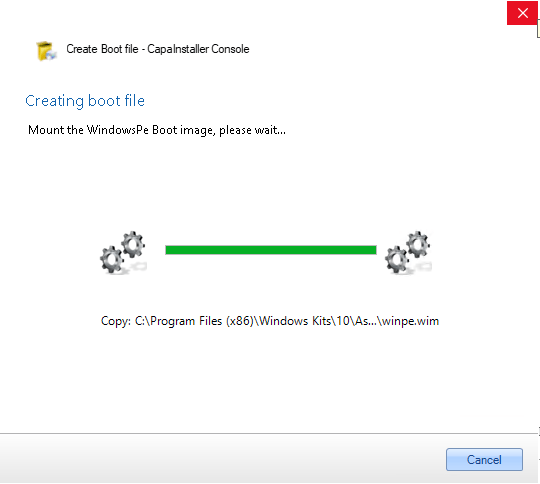
|      8 | Wait for the installation to be done: <br/> ![](/attachments/capainstaller/387f8de4-0f75-4268-8dd0-9ee0856225e7.png)                                                                                                                                                                                                                                                                                                                            |
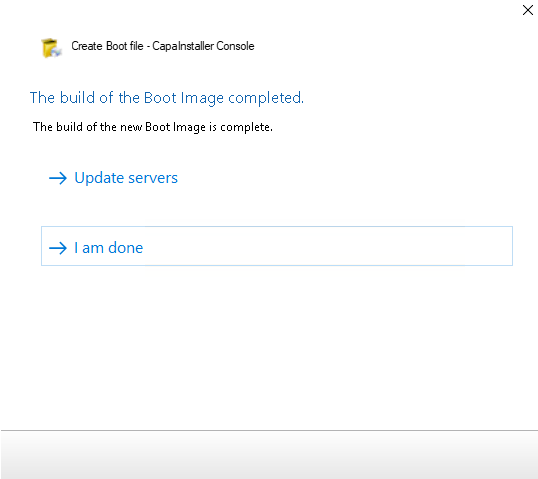
|      9 | Click "I am done" and now you have addet NIC to you boot.wim: <br/> ![](/attachments/capainstaller/93be1c3e-a931-427e-8c6b-4296d71fa2e3.png)                                                                                                                                                                                                                                                                                                    |
:::tip
If you need to add more than one driver, place them all in `<OSD POINT>\MediaMaster\Kit\uefi\amd64\driver` on the CapaInstaller server before running the wizard. Every driver in that folder is added to the boot image automatically, so you do not have to add them one by one in step 5.
:::

## Related

- [How to Add a NIC Driver to boot.wim for PXE Boot Failures](/capainstaller/knowledge-base/how-to-add-a-nic-driver-to-boot-wim-for-pxe-boot-failures/) — detailed troubleshooting: driver sources, ADK version issues, and redistributing the boot image to all OSD servers.