# Create a new driver
> Add a new driver to OS Deployment, which is created per computer model.
Source: https://docs.capaone.com/capainstaller/the-capainstaller-console/os-deployment/how-to-use-osd/create-a-new-driver/
Product: CapaInstaller — a separate CapaSystems product; do not apply this page to any other.
The following is a description of how to create a new driver. There are several different ways to add new drivers to OSD — see below for details.
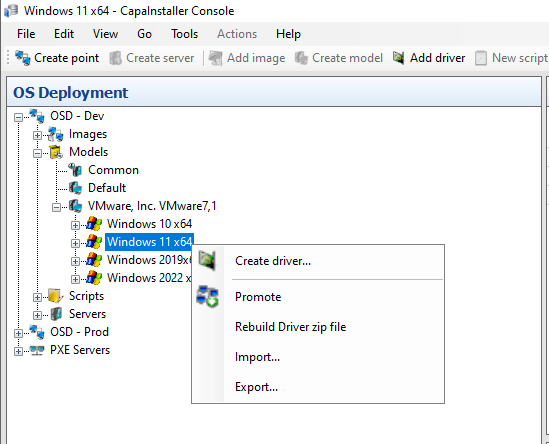
Drivers are created per model. In the **OS Deployment** tree, expand an **OSD point → Models**, select the model you want to add drivers to, then right-click it and choose **Create driver…**
Then select the method you want to use:
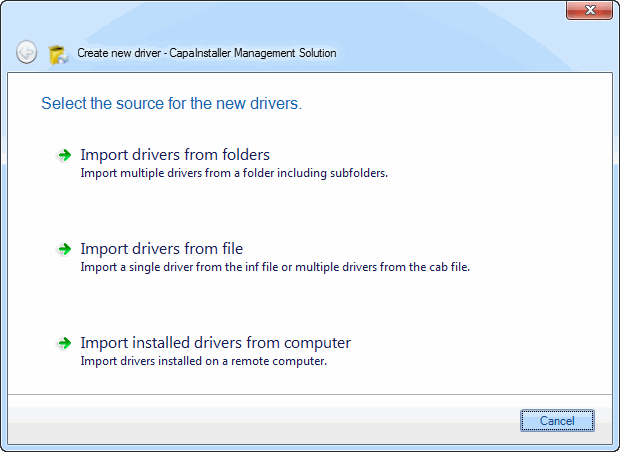
## Import drivers from folders
| Step | Action |
|:----:|:-------|
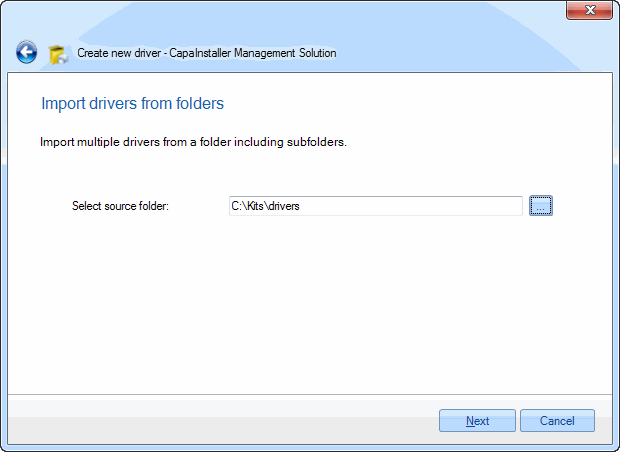
| 1 | Enter a path to scan for drivers.
 |
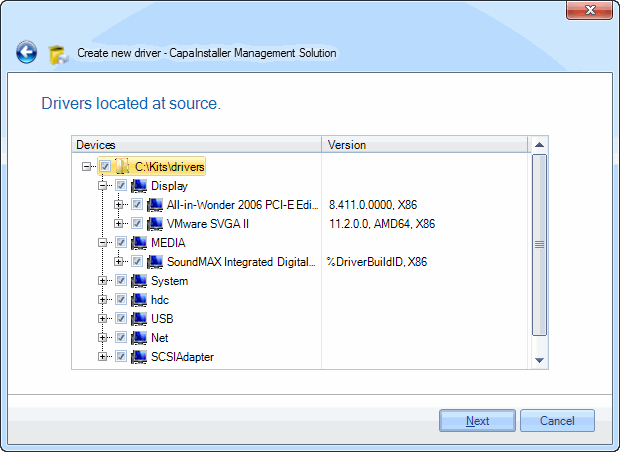
| 2 | Select the drivers you want to import.
 |
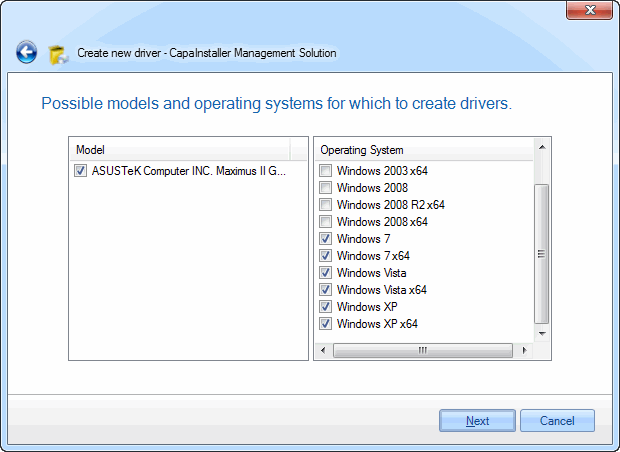
| 3 | Select the appropriate operating systems to assign the drivers to.
 |
## Import drivers from file
| Step | Action |
|:----:|:-------|
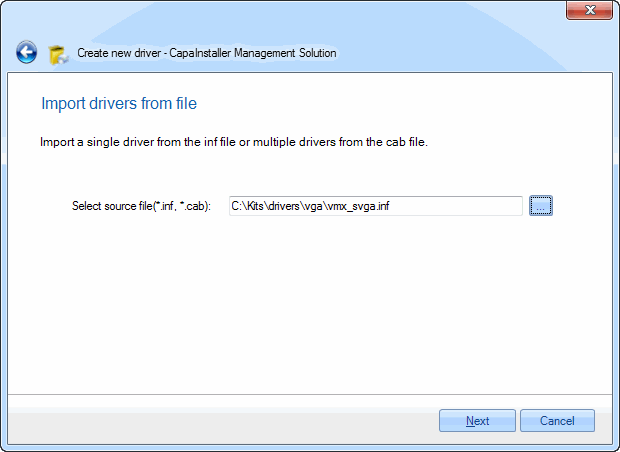
| 1 | Enter the name of the .inf or .cab file to import from.
 |
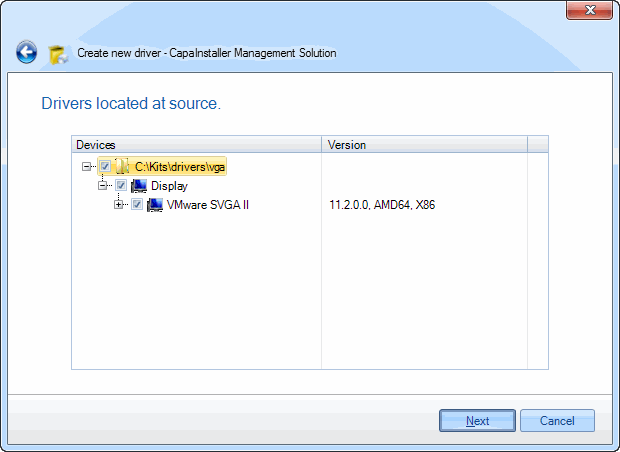
| 2 | Select the drivers you want to import.
 |
| 3 | Select the appropriate operating systems to assign the drivers to.
 |
## Import installed drivers from computer
| Step | Action |
|:----:|:-------|
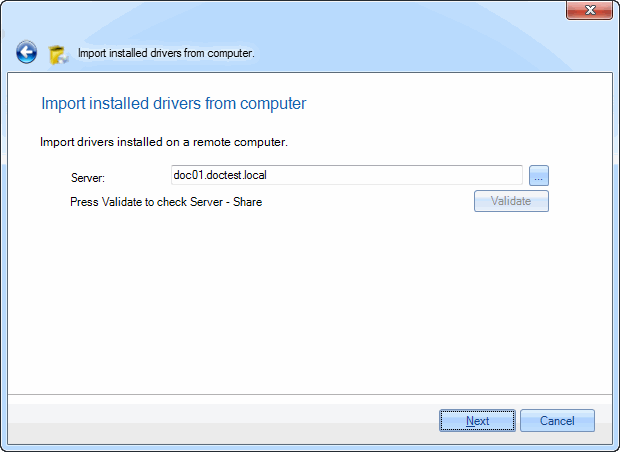
| 1 | Enter the name of the computer to import from.
 |
| 2 | Select the drivers you want to import.
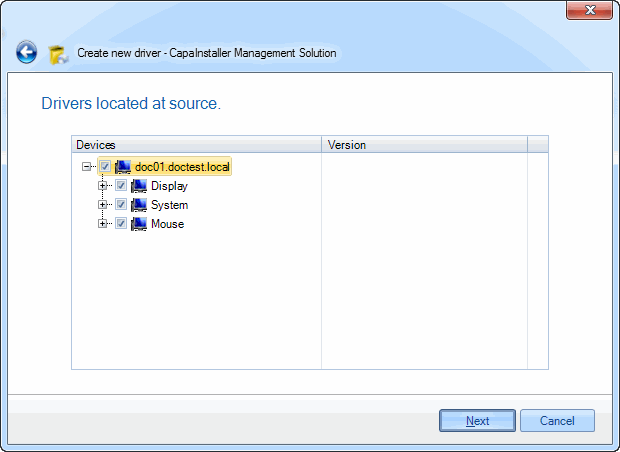 |
| 3 | Select the appropriate operating systems to assign the drivers to.
 |
:::tip
For further information about drivers, see [Drivers](/capainstaller/the-capainstaller-console/os-deployment/what-is-os-deployment/drivers/).
:::
## Related
- [Create a new model](/capainstaller/the-capainstaller-console/os-deployment/how-to-use-osd/create-a-new-model/)
- [Drivers](/capainstaller/the-capainstaller-console/os-deployment/what-is-os-deployment/drivers/)