# Create a dynamic group

> Create a dynamic group in Configuration Management, in the same two steps used for every group type.

Source: https://docs.capaone.com/capainstaller/the-capainstaller-console/configuration-management/how-to-use-configuration-management/working-with-groups/create-a-dynamic-group/  
Product: CapaInstaller — a separate CapaSystems product; do not apply this page to any other.

The following is a description of how to create a group in Configuration Management. Groups are created the same way in two steps, whether it is a dynamic, static, department or ad group.

---

|          |                                                                                                                                                                                                                                                                                       |
|:---------|:--------------------------------------------------------------------------------------------------------------------------------------------------------------------------------------------------------------------------------------------------------------------------------------|
| **Step** | **Action**                                                                                                                                                                                                                                                                            |
| 1        | In Configuration Management, Expand the Group folder, and right-click on *Create group*.                                                                                                                                                                                              |
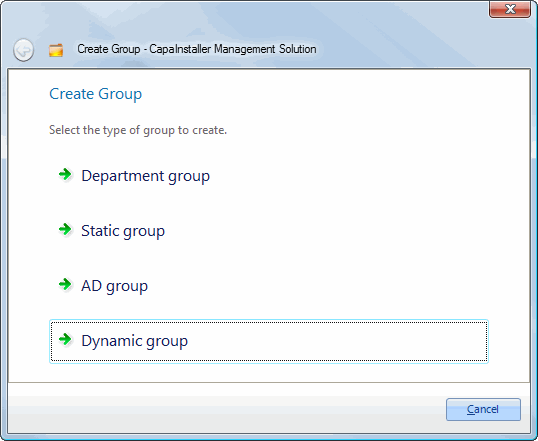
| 2        | Choose which group type you want to create.<br /><br />![](/attachments/capainstaller/b11c705b-85ac-495f-bdc6-ed248bb33b5c.webp) |
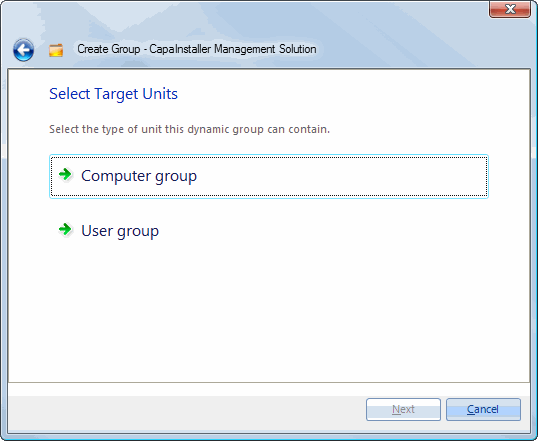
| 3        | ![](/attachments/capainstaller/17899e21-74fe-4300-8a91-bf1c208e701e.webp)                                                                                                                                                                                                              |
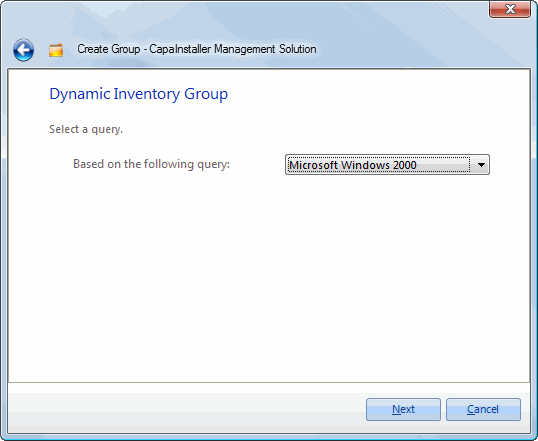
| 4        | Select a query which to base the dynamic group on.   Note: Queries are created in Reporter.   ![](/attachments/capainstaller/e6bff038-5ba9-465e-b1cf-ddf82597a231.webp)                                                                                                                |
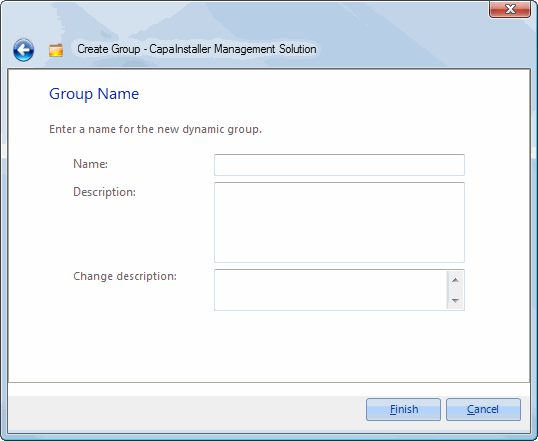
| 5        | Enter the *Name*, *Description,* and *Change description* on the group.   ![](/attachments/capainstaller/a88a3e65-fead-4914-8c0d-5c6993c060c3.webp)                                                                                                                                  |
## Related tasks

|                       |                                                                   |
|:----------------------|:------------------------------------------------------------------|
| **If you want to...** | **You can...**                                                    |
| Learn about groups    | [Groups](/capainstaller/the-capainstaller-console/configuration-management/what-is-configuration-management/groups/). |