# Search for item

> Search for units, packages, and groups in Configuration Management.

Source: https://docs.capaone.com/capainstaller/the-capainstaller-console/configuration-management/how-to-use-configuration-management/search-for-item/  
Product: CapaInstaller — a separate CapaSystems product; do not apply this page to any other.

It is possible to search for any kind of item, Units, Packages, and Groups. The following is a guide in performing the search.

---

|          |                                                                                                                                                                                                                                                                                                                                                                                                             |
|:---------|:------------------------------------------------------------------------------------------------------------------------------------------------------------------------------------------------------------------------------------------------------------------------------------------------------------------------------------------------------------------------------------------------------------|
| **Step** | **Action**                                                                                                                                                                                                                                                                                                                                                                                                  |
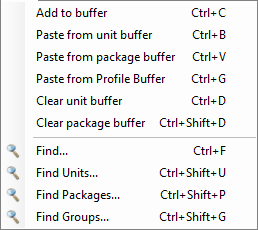
| 1        | Click on the Menu *Edit/Find* *or Ctrl + F to open the search window.* <br/> If you know which item type you want to search for, you can click one of the specific search options shown below instead. <br/> They will open the same search window but will have the item type preselected depending on which menu was clicked. <br/> ![](/attachments/capainstaller/4ce1c737-4daf-4583-9d56-3aeb5ebb322e.png) |
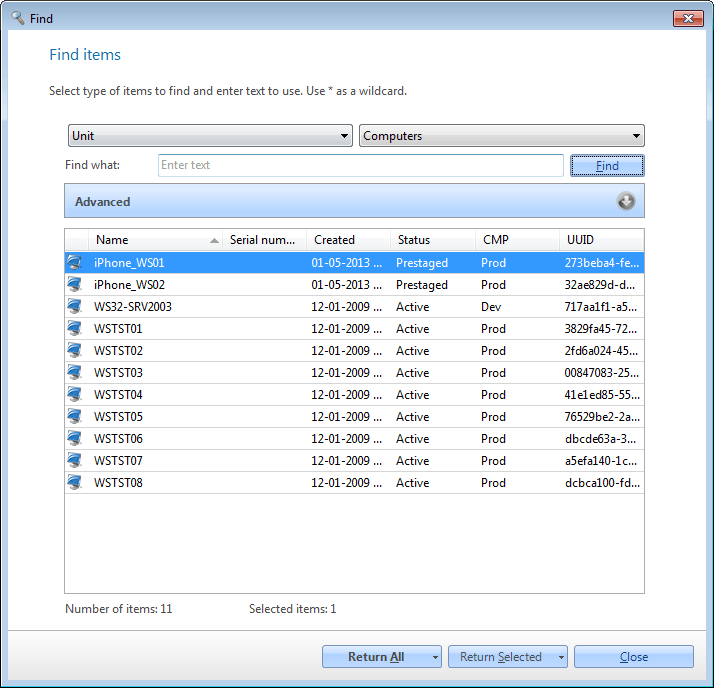
| 2        | Select the area you want to search in and search text, click *Find* or hit Enter on your keyboard.   ![](/attachments/capainstaller/1eea600c-c436-4867-ac45-5b788db2e76c.png)                                                                                                                                                                                                                                  |
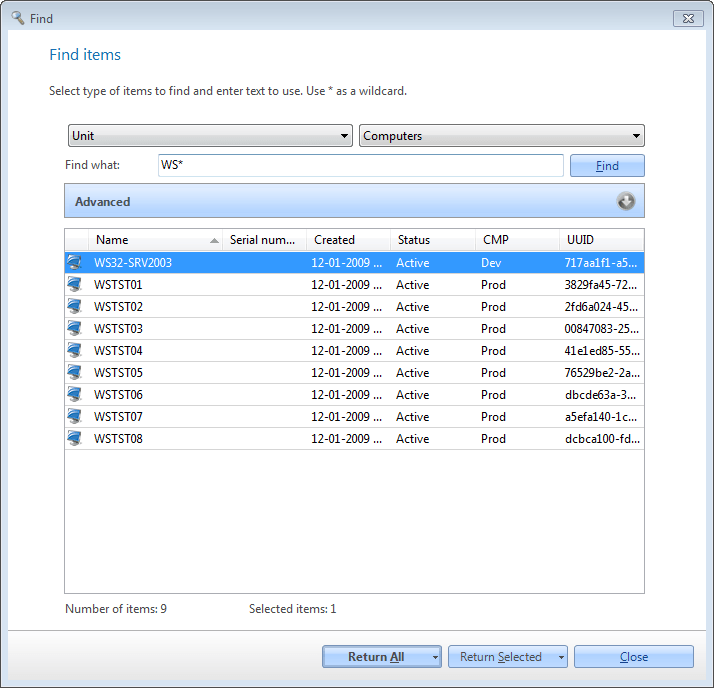
| 3        | Items that match the search criteria will be populated in the list.   ![](/attachments/capainstaller/c75ae04a-fa62-4fe3-a5da-5760210f433d.png)                                                                                                                                                                                                                                                                 |
| 4        | Return the results. <br/> You can either return all the items that matched the search criteria or return only those items selected in the list. <br/> Those items will be added to the Search Results node in the tree view/navigation pane.                                                                                                                                                                |
