# Use CapaInstaller Package Creator views
> Switch between the standard and advanced views, which control how many package settings are shown.
Source: https://docs.capaone.com/capainstaller/package-creator/user-guide/how-to/use-capainstaller-package-creator-views/
Product: CapaInstaller — a separate CapaSystems product; do not apply this page to any other.
CIPC can be used in one of two views: advanced or standard. The view setting controls which settings are displayed in the main window area. The advanced view includes more settings, thereby exposing more complexity in the editing window. Typically, the extra settings exposed by the advanced view will be left at their default settings for nearly all projects.
| | |
|:----------------------------------------------------------------------|:----------------------------------------------------------------------|
| **CMS normal view** | **CMS advanced view** |
| 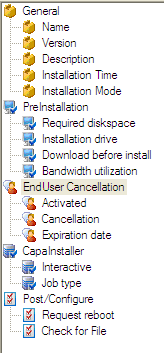 | 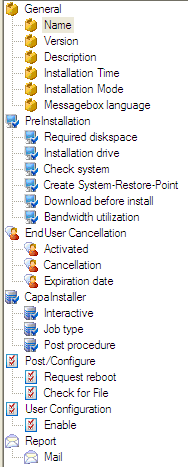 |
### How to change between the different views
| | |
|:---------|:--------------------------------------------------------------------------------------------------------------------------------------------------------------------------------|
| **Step** | **Action** |
| 1 | Click on *view*/*advanced* view on the Menu toolbar
When the advanced view is active, this entry will show a checkmark. When the standard view is active, no check appear |
### How to customize the view
| | |
|:---------|:----------------------------------------------------------------------------------------------------------------------------------------------------------------|
| **Step** | **Action** |
| 1 | Right-click on the field you want to remove or add to the advanced view
Click
 |
| 2 | 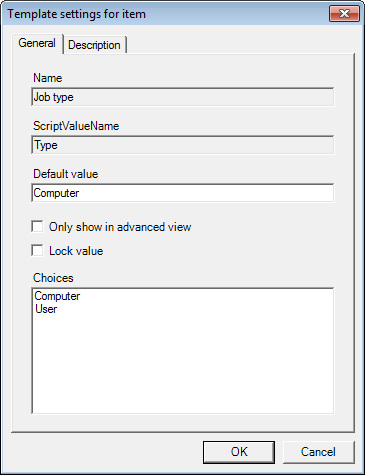
Mark or unmark *Only show in advanced view*, click *OK* |