# Create a Package using Package Creator

> Create a package ready for testing using the Package Creator graphical interface, step by step.

Source: https://docs.capaone.com/capainstaller/package-creator/user-guide/how-to/create-a-package-using-package-creator/  
Product: CapaInstaller — a separate CapaSystems product; do not apply this page to any other.

CIPC offers a graphical interface for step-by-step package design. The following procedure can be used to create a package ready for testing.

|          |                                                                                                                                                                                                                                                          |
|:---------|:---------------------------------------------------------------------------------------------------------------------------------------------------------------------------------------------------------------------------------------------------------|
| **Step** | **Action**                                                                                                                                                                                                                                               |
| 1        | Click New <br/>  ![](/attachments/capainstaller/f17ce17c-cabf-4881-b47b-dfcc8262dbab.png)                                                                                                                                                                   |
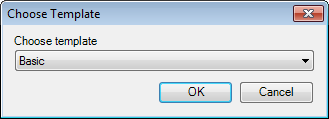
| 2        | Select the template that matches the installation technology used by the application that has to be installed <br/> ![](/attachments/capainstaller/e9f2c72c-02fc-4a81-9a2b-68aba4b7b06c.png)                                                                |
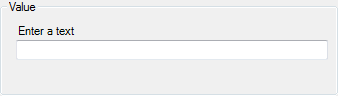
| 3        | Define values in the tree view <br/> ![](/attachments/capainstaller/0738756d-4114-4ed6-b6f5-d99a7b5d3ed6.png)                                                                                                                                               |
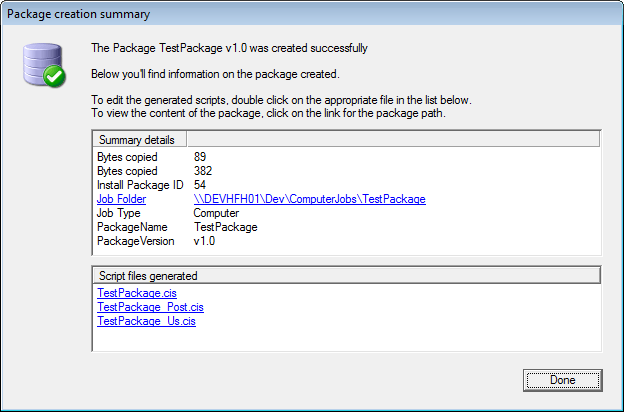
| 4        | Generate the package. The created package contains the application, the install script, Uninstall scripts, and user configuration based on the choices made in the tree view <br/> ![](/attachments/capainstaller/9143d45a-498f-4799-819a-44811f86f5ce.png) |
| 5        | Customize the script(s) as needed                                                                                                                                                                                                                        |

The Package creation summary window is displayed when a package has been generated.
![](/attachments/capainstaller/1cd70476-11d7-4dd2-83e0-60b9b202bfdb.png)
