# Enrolling iPad OS

> Enroll an iPad running iPadOS 13 or later by URL, step by step.

Source: https://docs.capaone.com/capainstaller/installation-and-maintenance/getting-started-with-device-management/device-enrollment/enrolling-ipad-os/  
Product: CapaInstaller — a separate CapaSystems product; do not apply this page to any other.

### Device enrollment iPad OS version 13 and later (Via URL)

|   Step | Action                                                                                                                                                                                                                                                                                                  |
|-------:|:--------------------------------------------------------------------------------------------------------------------------------------------------------------------------------------------------------------------------------------------------------------------------------------------------------|
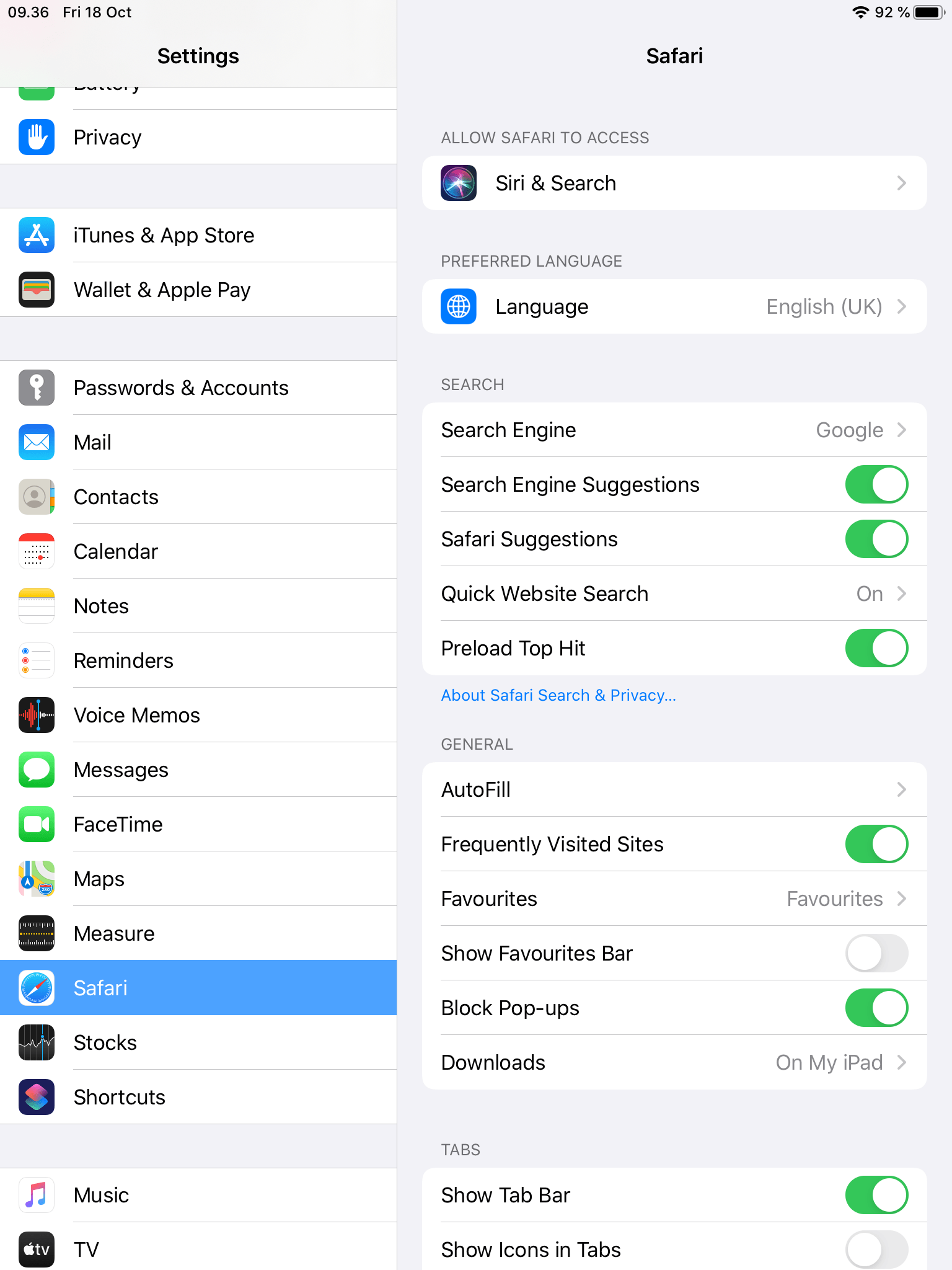
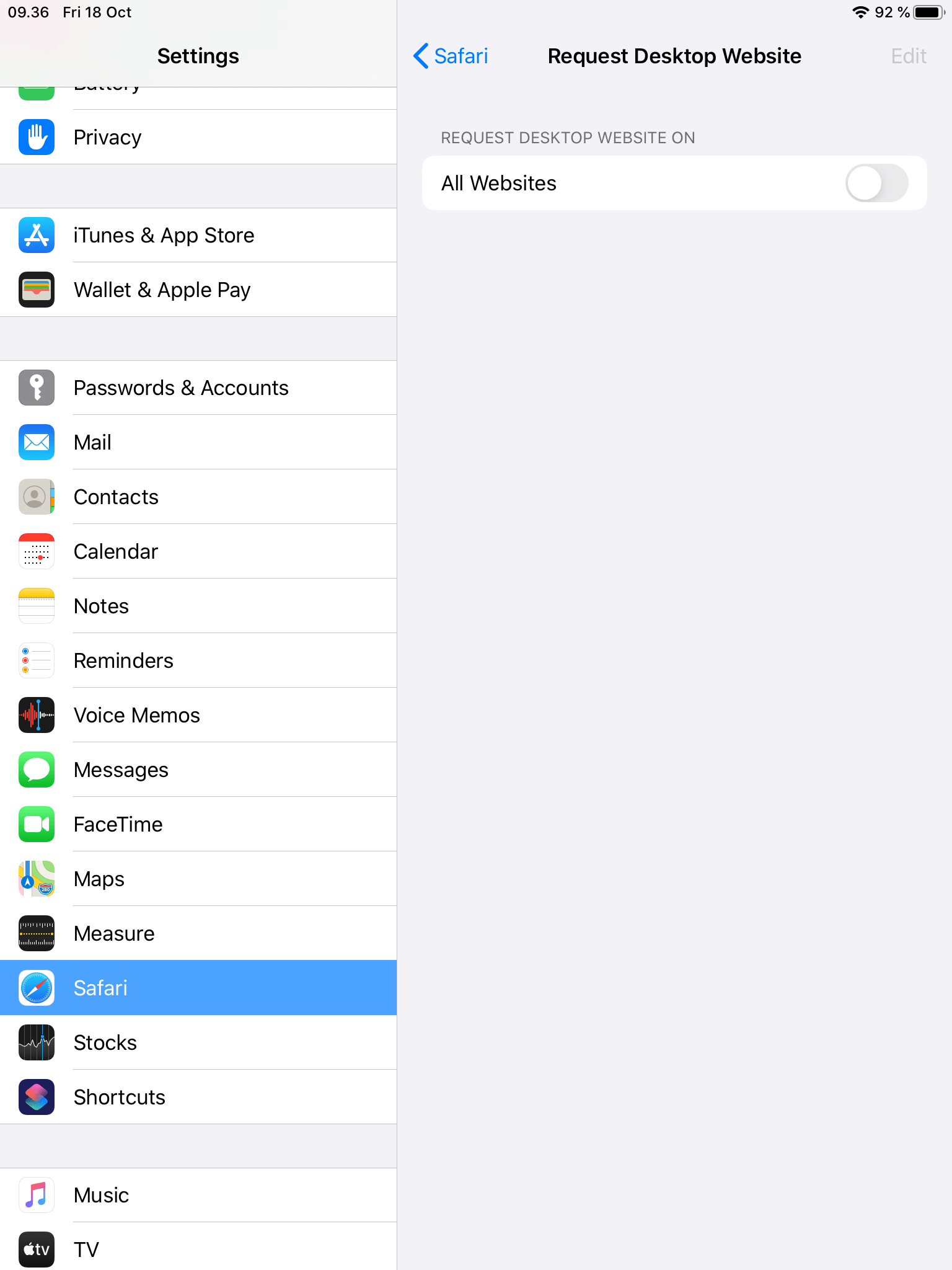
|      1 | Enrolling iPad OS Device via URL after version 13! <br/> For some reason, Apple's iPad OS devices report themselves as MacOS. A workaround for that is described below: <br/> First, go into settings, and in under safari: <br/> ![](/attachments/capainstaller/6f3d65f0-698b-4c7f-b59e-193019394d66.png) |
|      2 | Click on "Request Desktop Website": <br/> ![](/attachments/capainstaller/f6723c3e-27de-4c30-8597-3710c0a60057.png)                                                                                                                                                                                         |
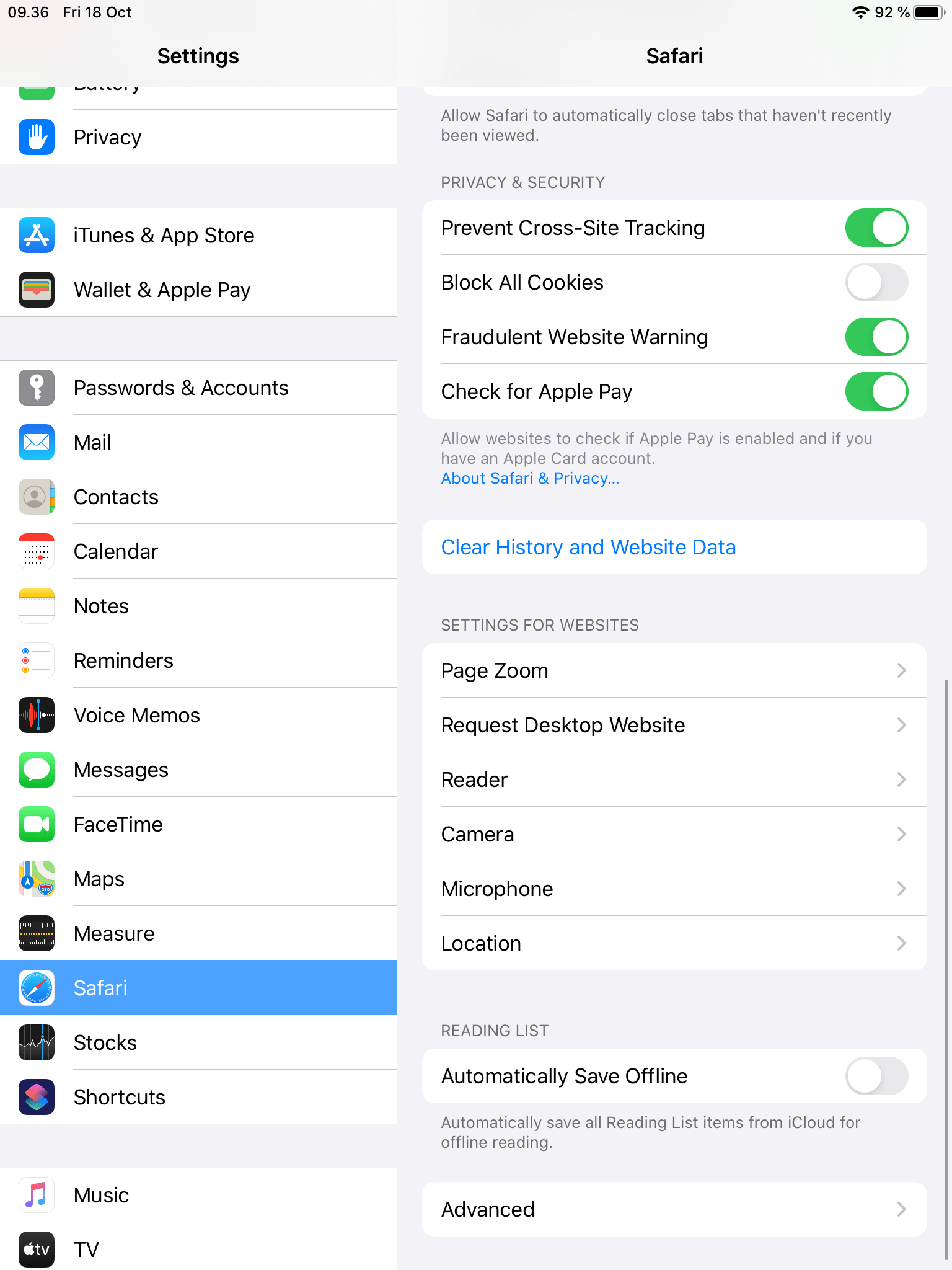
|      3 | Turn the setting OFF!                                                                                                                                                                                                                                                                                   |
|      4 | ![](/attachments/capainstaller/6fd1628e-d388-480c-8169-80ac3377a23d.png)                                                                                                                                                                                                                                   |
|      5 | Now go into a browser.                                                                                                                                                                                                                                                                                  |
|      6 | Insert the URL from your console.                                                                                                                                                                                                                                                                       |
|      7 | Now you need to login:                                                                                                                                                                                                                                                                                  |
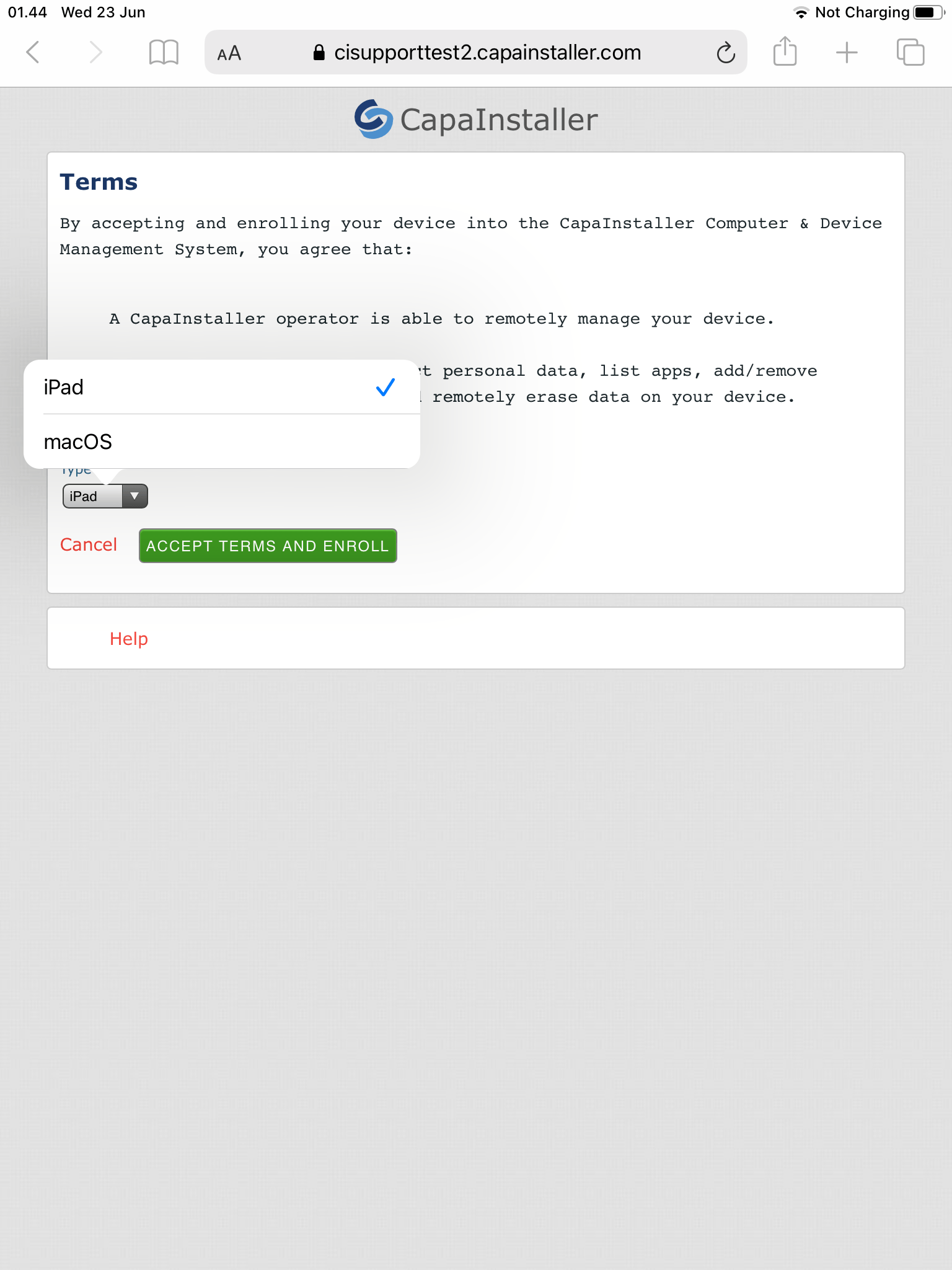
|      8 | When you have logged in, you need to choose "iPad" and click "Accept Terms And Enroll" <br/> ![](/attachments/capainstaller/aae0206a-10af-47ea-a1e3-163a0469517c.png)                                                                                                                                      |
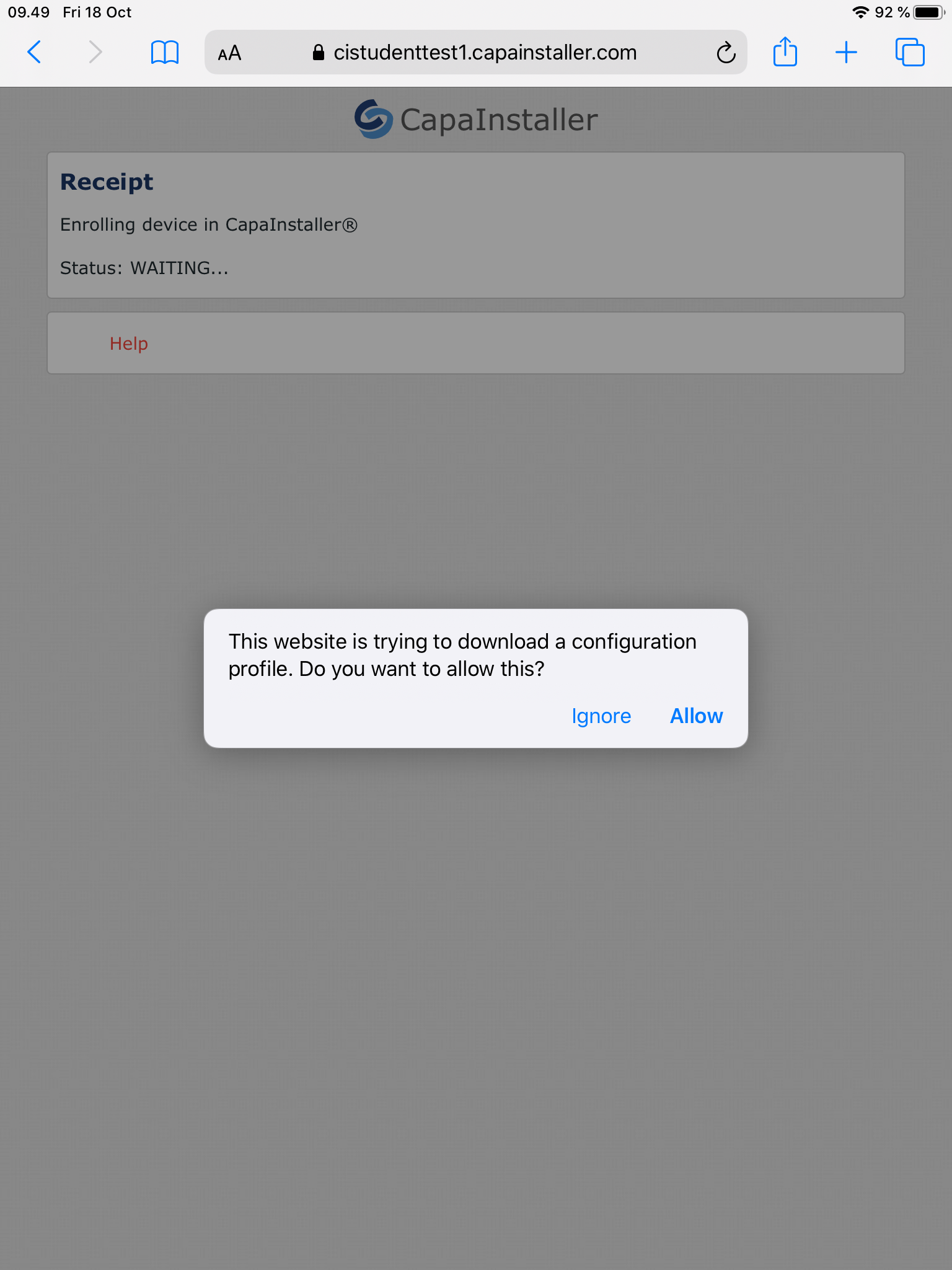
|      9 | Click "Allow" <br/> ![](/attachments/capainstaller/fa493898-3014-4099-afcf-954eca0baa36.png)                                                                                                                                                                                                               |
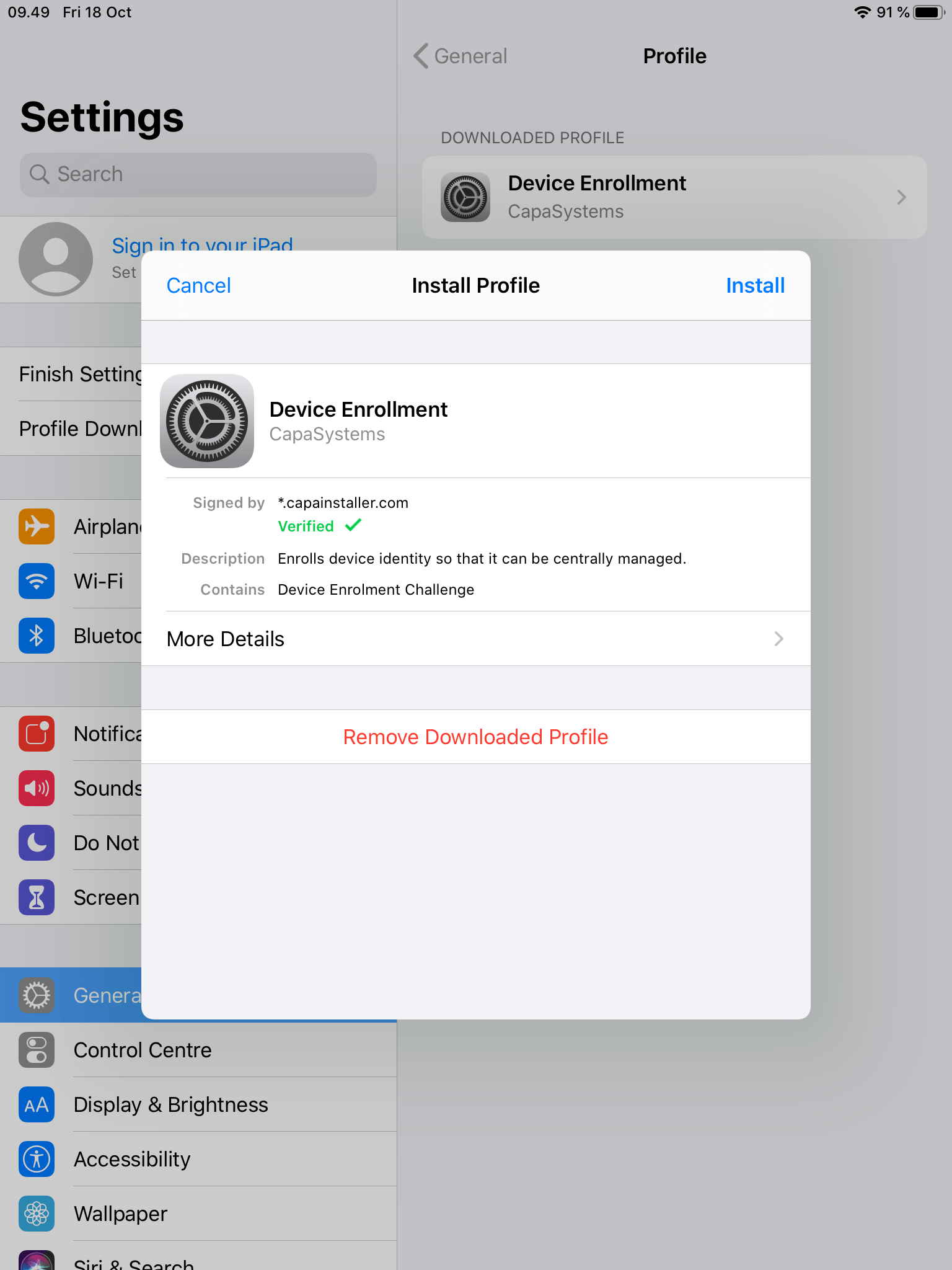
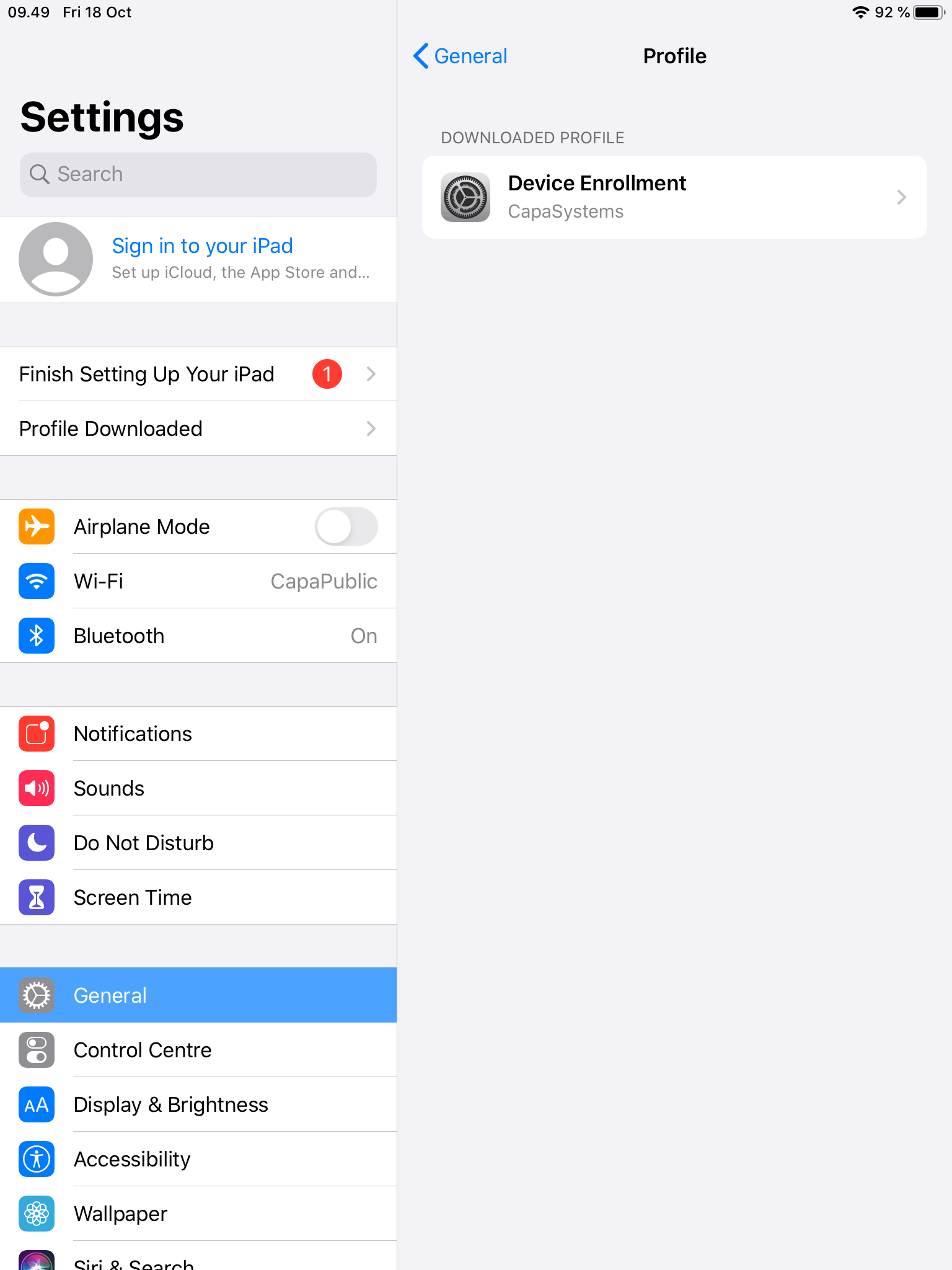
|     10 | Now go in settings, and click on "Profile Downloaded" <br/> ![](/attachments/capainstaller/e3419663-f275-4661-8429-69fe64c6684b.png)                                                                                                                                                                       |
|     11 | Install your profile, and you have enrolled your iPad device successfully: <br/> ![](/attachments/capainstaller/776a900e-70fd-43b4-a80c-d6f2aeb2af51.png)                                                                                                                                                  |